









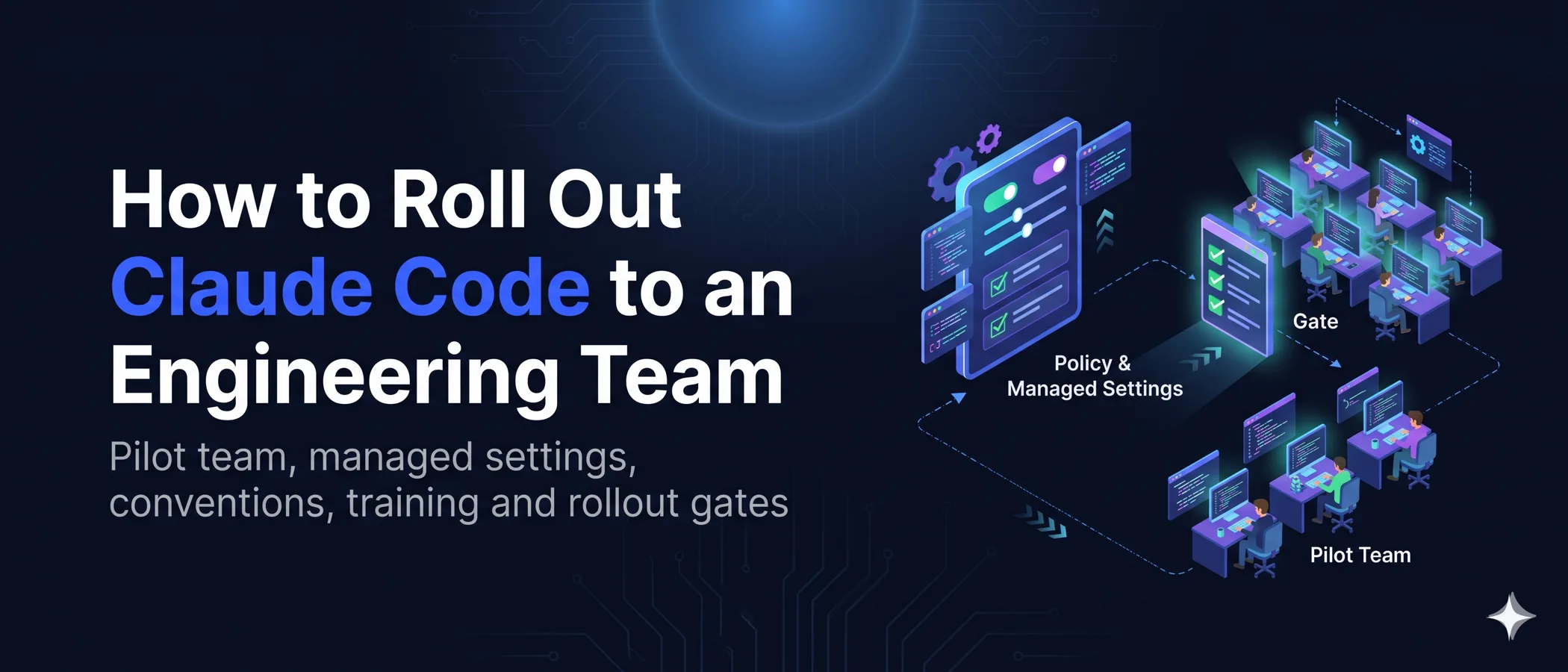
How to Roll Out Claude Code to an Engineering Team, from Pilot Team to Rollout Gates

Saurav Jagdale
Technical Lead, Unico Connect
In this article
- Quick Answer
- Key Takeaways
- Why Seats Alone Do Not Create Claude Code Adoption
- Before You Roll Out Claude Code to a Team, Settle Three Decisions
- How to Roll Out Claude Code to a Team in Five Stages
- How to Pick the Claude Code Pilot Team
- Claude Code Best Practices for Team Conventions
- Claude Code Managed Settings and Project Settings
- Claude Code Training for Developers, by Role
- The Measurement Gate and the Review Capacity Gate
- Why Claude Code Rollouts Stall, and the Fix for Each
- How Unico Connect Runs Claude Code Across Its Own Team
- Frequently Asked Questions
How to roll out Claude Code to a team is mostly a question of order. Claude Code for teams of 20 to 500 engineers sticks when managed settings go in first, one pilot team writes the conventions everyone after it inherits, and the next team joins only when the numbers hold. Settings were checked against the Claude Code docs on October 18, 2026. We sell Claude Code rollouts, so weigh our view accordingly.
Quick Answer
To roll out Claude Code to an engineering team, put engineers on company Claude for Teams or Enterprise seats and start with one existing team on one real repository. Before its first session, deploy managed settings that pin claude.ai logins to your organization, block secret files and turn off the bypass permissions mode. Let that team write the shared CLAUDE.md, project settings, skills and hooks, then train each role on your own codebase. Widen in waves, and open each wave only when quality and review numbers hold against the baseline each team recorded before its first session.
Key Takeaways
- Pilot with one existing team that has CI, tests, mixed seniority, a skeptic and its own reviewers.
- Stages open on evidence, never on a date. Each gate names the evidence and who signs it off.
- The claude.ai console sends one policy to everyone and outranks other managed sources, so give the pilot its own managed file and keep the console empty.
- CLAUDE.md is context, not enforcement. Anything that must never happen belongs in a deny rule, a hook or managed settings.
- Review capacity is a gate. Check pull request size, time to first review and reopened pull requests before another team joins.
Why Seats Alone Do Not Create Claude Code Adoption
Rolling out AI coding tools to an engineering team takes more than logins. Teams also need guidance, time to learn and reviewers who can keep up.
24%
of respondents chose approved AI tools and guidance as the best description of AI use at their organization
Stack Overflow Developer Survey 2026, 13,167 answers to this question worldwide
131%
estimated rise in team AI adoption when developers get dedicated work time to explore AI tools
DORA, January 2025
91%
more pull request review time on teams with high AI adoption
Faros AI, July 2025, 10,000+ developers
None measures Claude Code itself, Faros AI sells engineering analytics, and the DORA number is a survey estimate.
Before You Roll Out Claude Code to a Team, Settle Three Decisions
Make these calls before the first seat goes out. Still choosing a tool? Start with our AI coding tools comparison.
Plan. Claude for Teams includes SSO and server managed settings for organization wide configuration, and Claude for Enterprise adds domain capture, role based permissions and a compliance API. For a Claude Code enterprise rollout, SCIM matters most, because only Enterprise offers it and it lets access follow identity provider groups wave by wave. Our consulting guide lists what a rollout configures.
Provider. Anthropic calls Claude for Teams or Enterprise the default recommendation. Through Amazon Bedrock, the Agent Platform on Google Cloud or Microsoft Foundry, the analytics dashboard and server managed settings are unavailable, so gate data comes from OpenTelemetry and policy from MDM, a managed settings file or a Claude apps gateway.
Logins and data. Move engineers off personal Pro or Max accounts onto company seats, and pin claude.ai logins to your organization in managed settings on each machine. We run Claude Code on a company plan, and by default Anthropic does not use inputs or outputs from its commercial plans to train its models.
How to Roll Out Claude Code to a Team in Five Stages
The table has no dates, because a team with strong tests and small pull requests clears its gates faster than one without.
| Stage and who is in it | What gets set up | Evidence that opens the next stage |
|---|---|---|
| 1. Pilot, one existing team on one real repository, with its reviewers | Pilot seats, the managed settings file, a first CLAUDE.md from /init, delivery numbers recorded before the first session | /status shows the managed source on every pilot machine, and the same people keep coming back |
| 2. Conventions, the pilot team and its tech lead | Team CLAUDE.md, committed project settings, first skills and hooks | Merged through pull requests, and an engineer outside the pilot finishes a real task from them unaided |
| 3. Training, every role in the next wave | Role sessions on your codebase, a support channel with a named owner | Every role has finished its track, and people other than the champion answer channel questions |
| 4. Adjacent teams on the same stack, one wave at a time | A plugin with the pilot setup, the managed file on new machines, then model, MCP and plugin allowlists | Each wave holds its quality numbers against its own baseline, and the review capacity gate passes |
| 5. Organization default, remaining teams with regulated repositories last | One policy for the whole organization, a raised version floor, new hire onboarding | None. A gate reopens when a quality or review signal gets worse |
The platform owner signs off settings, the pilot tech lead signs off conventions and training, and the engineering manager signs off quality and review numbers.
How to Pick the Claude Code Pilot Team
Pick one existing team. Volunteers only prove the tool works for volunteers. An existing team, with its normal seniority mix and review load, shows what happens when the next team joins. Take the whole team, whatever its size, plus the reviewers who carry its load. The Claude Enterprise administrator guide describes a SCIM rollout that starts with 50 to 100 users, but it covers company wide Claude, chat included.

- Works in one real repository with CI, tests and code review in place
- Has mixed seniority, including at least one engineer who doubts the tool
- Includes the reviewers who will carry the extra load
- Has a tech lead with time to own CLAUDE.md and the shared settings
- Works on a stack other teams share, so its conventions travel
- Has real backlog tasks ready, such as a flaky test
- Stays away from payments, authentication and regulated data until the last stage
- Has a manager who accepts that estimates may dip at first
Let the pilot tech lead run it when
- the team already owns its repository, CI and review rules
- a platform or IT owner can ship managed settings through normal change control
- the lead has protected time for it every week
Give it to a platform owner when
- nobody owns developer tooling across teams
- settings must reach managed laptops and cloud sessions alike
- other teams share the pilot repository
Claude Code Best Practices for Team Conventions
The pilot team writes the four parts of a Claude Code team setup, a short CLAUDE.md, a committed settings file, hooks and skills. Run /init in the pilot repository for a starting CLAUDE.md, then edit it as Claude gets things wrong. Add a line when Claude makes the same mistake twice and cut any line whose removal would cause no mistakes, as the Claude Code memory docs and best practices guide suggest.
# Project instructions

Owned by the tech lead. Change this file through a pull request.

## Commands
- Run one test file with make test FILE=path/to/file
- Run make lint and make typecheck before every commit

## Architecture
- apps/web is the frontend and services/api is the backend
- Business rules live in services/api/src/domain, never in controllers

## Conventions that differ from defaults
- Return the shared Result type for errors, never throw across modules

## Repository etiquette
- Keep each pull request to one concern and note which parts Claude wrote

## Gotchas
- Ask before editing anything under services/api/src/payments

## Standards
@docs/standards/testing.md
@docs/standards/api-design.md
Keep it under the 200 lines Anthropic targets, since longer files reduce adherence. Keep Claude out of it with an Edit(/CLAUDE.md) deny rule in the committed .claude/settings.json, so changes arrive through review. One engineer who rolled Claude Code out to 40 engineers reported on Reddit merge conflicts from model edits, fixed by no longer letting the model update CLAUDE.md. Put anything that must always happen in a hook, because a hook runs every time and a CLAUDE.md line works only when Claude follows it.
Add the rest when a trigger shows up. The Anthropic features overview suggests a skill the third time someone pastes the same playbook, and a plugin once a second repository needs the same setup. For narrow, reviewable skills, see how we configure skills. Connect an MCP server only when the team keeps copying data from a system Claude cannot see, as in our Xano MCP with Claude Code workflow.
When we standardized how our engineers use AI tools, the first job was an inventory. Our standards lived in internal documents, in the heads of senior engineers and in review comments. Run the same inventory before the pilot writes its CLAUDE.md.
Claude Code Managed Settings and Project Settings
Claude Code managed settings are the layer your organization controls, and under the settings precedence no developer settings file overrides a managed key. They come from the claude.ai admin console, MDM or a managed-settings.json file, and go in before the pilot starts.
The Settings Files, Highest First
| Layer | Owned by | What belongs there |
|---|---|---|
| Managed | Platform, IT or security | Login rules, deny rules, version floor, MCP and plugin limits |
| Project local | The developer, outside git | Personal overrides for one project |
| Shared project | Tech lead, through pull requests | Team permissions, hooks, plugins, project env vars |
| User | The developer | Personal preferences for every project |
Shared project settings live in .claude/settings.json, project local in .claude/settings.local.json and user in ~/.claude/settings.json. Lists such as permissions.deny combine across layers, so developers can add entries but not remove managed ones.
Run /status on one pilot machine first, where the Setting sources line names the managed source that won. The managed file goes in /Library/Application Support/ClaudeCode/ on macOS, /etc/claude-code/ on Linux and WSL, and C:\Program Files\ClaudeCode\ on Windows. Older guides print C:\ProgramData\ClaudeCode\, which current versions ignore.
One catch for pilots. The claude.ai console applies one policy to the whole organization and cannot target a group yet. By default Claude Code also takes most settings only from the highest ranked managed source and skips the rest, and the console ranks first. So keep the console empty during the pilot and deliver its policy as a managed file or MDM profile on pilot machines. Neither reaches Anthropic hosted cloud sessions, so run pilot sessions locally. On MDM enrolled machines this is also the stronger control, because the operating system can protect that file, while a user on an unmanaged device can bypass server managed settings.
A Minimal Managed Settings File for the Pilot
Every key below comes from the Claude Code settings reference.
{
  "forceLoginMethod": "claudeai",
  "forceLoginOrgUUID": ["xxxxxxxx-xxxx-xxxx-xxxx-xxxxxxxxxxxx"],
  "permissions": {
    "deny": ["Read(./.env)", "Read(./.env.*)", "Read(./secrets/**)"],
    "ask": ["Bash(git push *)"],
    "disableBypassPermissionsMode": "disable"
  },
  "requiredMinimumVersion": "2.1.283",
  "companyAnnouncements": ["Claude Code pilot. Share tips in #claude-code"]
}
The two login keys make Claude Code exit when a claude.ai login belongs to any other organization, so personal Pro and Max accounts stop working. Ship them in this file or the MDM profile, because server managed settings reach only accounts already signed in to your organization. Once the console carries a policy, set them there too.
The deny rules keep Claude file tools away from env files and secrets, though grep -r and similar commands are covered only with the sandbox on. The ask rule forces a prompt before git push as Claude usually writes it, even in auto mode. Disabling bypass mode makes Claude Code reject --dangerously-skip-permissions. The version floor keeps pilot machines alike, because from v2.1.283 auto mode is the built in starting mode for terminal and VS Code sessions on every plan. Set permissions.defaultMode to "default" or "plan" to start in Manual or plan mode, and disableAutoMode to "disable" to turn auto mode off. Model, MCP and plugin allowlists can wait for the wider waves.
Claude Code Training for Developers, by Role
Train by role, on your own codebase. New users begin with Claude Code 101 and Claude Code in Action, two free self paced courses on Claude Academy. No course knows your repository, so every track ends with a real ticket from your backlog.
| Role | What they learn | Done when |
|---|---|---|
| New user | Plan mode before multi file changes, a test or build Claude can run, reading every diff, /clear after two failed corrections | One reviewed change merged from a real ticket |
| Daily user | Scoping tasks, small context, the team skills, their own /insights report, where not to use Claude | Posts an example of their own in the team channel |
| Reviewer | Where agent written code goes wrong, one concern per pull request, asking authors to explain what Claude wrote | Applies the review rule to every agent assisted pull request |
| Admin | Managed settings delivery, /status checks, plugin distribution, analytics and spend limits | One machine verified before the fleet, settings changes reviewed like code |
Route data handling questions to the admin, since the Anthropic champion kit says champions should not improvise that answer. Before the next wave joins, a pilot engineer can run /team-onboarding to turn their recent sessions into a guide for newcomers.
The Measurement Gate and the Review Capacity Gate
Two gates decide when the next team joins.
Measurement Gate
Record the delivery numbers of each team before its first session, and label agent assisted pull requests so every metric can be split. The gate opens when first pass acceptance, failed builds and review burden for agent assisted work hold against that baseline at team level. Our guide to measuring coding agent output covers how to collect each one.
Review Capacity Gate
Review is where rollouts break. A March 2026 DORA analysis of Google engineer survey answers found that velocity gains for an individual author frequently turn into a heavier cognitive load for the reviewer. Track three signals for agent assisted work.
| Signal | How to measure it | Holds when |
|---|---|---|
| Pull request size | Median lines changed per agent assisted pull request | At or below the team median from before Claude Code |
| Time to first review | Hours from a pull request opening to its first review | No longer than the team baseline |
| Reopened pull requests | Share reopened or reverted after close or merge | Not rising as agent use grows |
Pull request size is a review load signal here, never a productivity score. If a signal slips, hold the next wave and fix the cause, usually smaller stories, tests that run before every commit, or more reviewers in the rotation.
Why Claude Code Rollouts Stall, and the Fix for Each
Fix each stall below before the next wave opens.
Four ways a rollout stalls
- Only enthusiasts use it. Ask the two or three most active pilot users to be champions, as the Anthropic communications kit suggests, and give the support channel a named owner.
- Seats arrive, guidance does not. Publish the CLAUDE.md, the settings and one real first task from your backlog before launch day.
- CLAUDE.md becomes a dumping ground. Move rules for one area into
.claude/rules/, and run/doctor prompt-auditwhen instructions conflict. - Skills stay with one author. In that Reddit rollout, one of 40 engineers contributed a skill. Commit skills to
.claude/skills/, then ship them in a plugin once a second repository needs them.
How Unico Connect Runs Claude Code Across Its Own Team
The whole Unico Connect team uses Claude Code daily. Our engineering leads estimate that roughly 80 percent of our production code is AI generated. Engineers are expected to understand the code AI produces, and a tech lead or senior developer reviews it before it ships.
Our Claude Code for teams service offers this sequence to engineering teams, from the pilot and a secure setup to hooks, agent skills and training on your own codebase. Unico Connect is a Registered member of the Claude Partner Network, the entry level below the Select, Preferred and Global Premier tiers.
Frequently Asked Questions
Which team should pilot Claude Code, and how big should the pilot be?
Pick one existing team with a real repository, CI, tests, mixed seniority and at least one skeptic. The pilot is that whole team, whatever its size, plus the reviewers who carry its load. Keep payments, authentication and regulated data out until the last stage.
Can a pilot group get different Claude Code managed settings from everyone else?
Yes, through a managed settings file or MDM profile on pilot machines, with the claude.ai admin console left empty, because the console applies one policy to everyone and by default outranks lower managed sources. Teams that route Claude through their own cloud provider can instead run a self hosted Claude apps gateway, which delivers settings per IdP group.
Can developers override Claude Code managed settings?
Not through settings. Nothing in user, project or local settings files, or in a --settings flag, overrides a managed key, though a few security keys accept a stricter value from a lower level. A local admin can still edit the managed file, and on an unmanaged device a user can bypass server managed settings.
Does CLAUDE.md enforce team rules?
No. Claude reads CLAUDE.md as context, not enforced configuration, so it cannot block an action. Put anything that must never happen in a deny rule, a PreToolUse hook or managed settings, and keep CLAUDE.md for commands, architecture notes and conventions that differ from defaults.
How do you bring engineers who resist Claude Code on board?
Put a skeptic on the pilot team and ask resisters to try Claude on work they avoid, such as legacy files or test scaffolding. Answer data and job concerns openly, and do not mandate use during the pilot. A January 2025 DORA analysis estimated 125 percent more team adoption of AI where organizations address developer concerns.
When is a Claude Code rollout ready to widen to more teams?
When the current stage passes its gate. Every machine shows the managed source in /status, the conventions work for someone outside the pilot, every role has finished training, quality numbers for agent assisted work hold against the baseline, and pull request size, time to first review and reopened pull requests have not worsened.