










Built an AI Visual Assistant for a national laminates brand in India that turns showroom browsing into guided visualisation in context
A native tablet application deployed in the brand showrooms, letting customers select any product from the catalogue and see it rendered in realistic room settings, with shortlist building, PDF export and a showroom staff workflow that closes the gap between browsing sample sheets and a confident purchase decision.
Key Takeaways
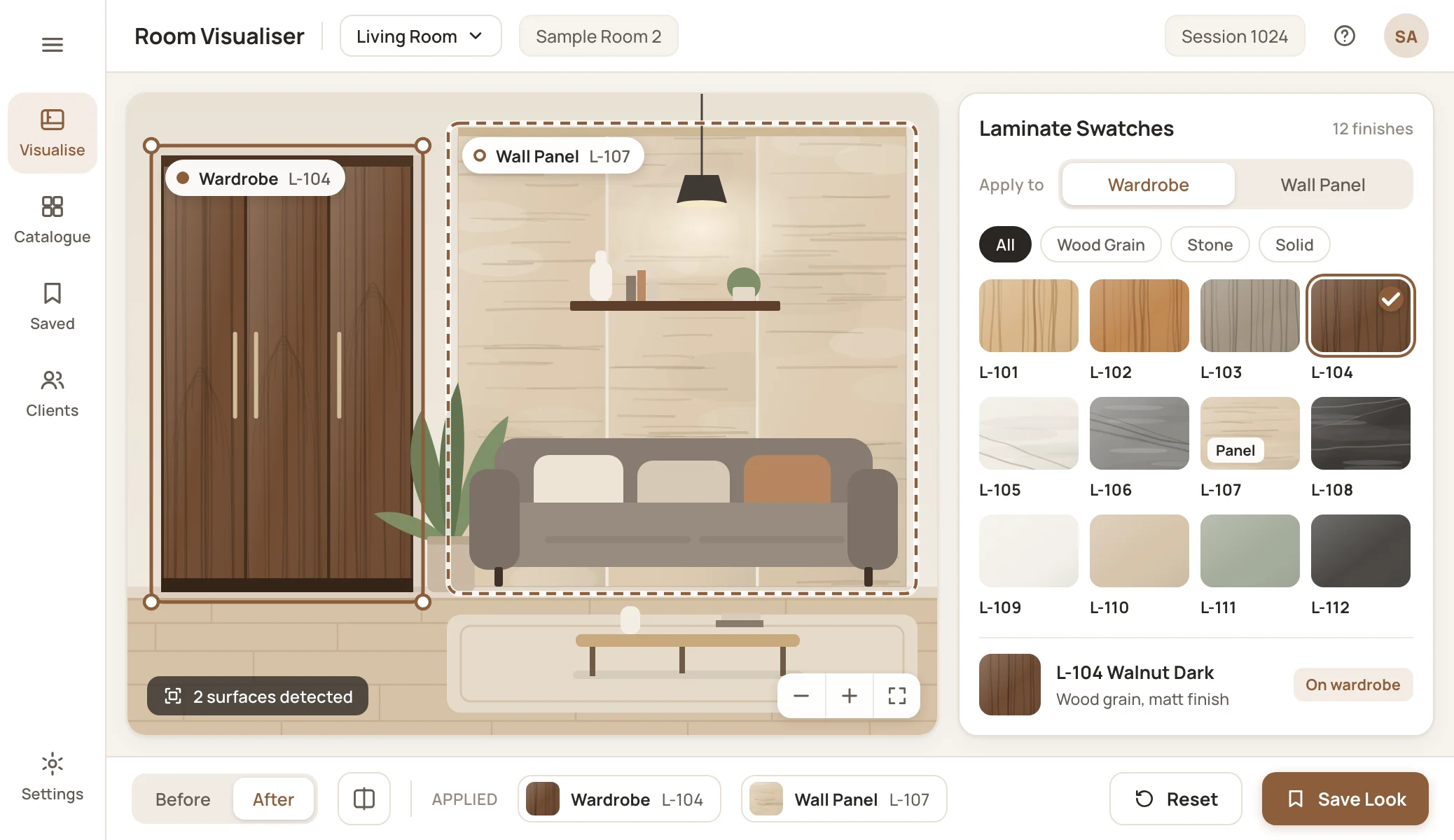
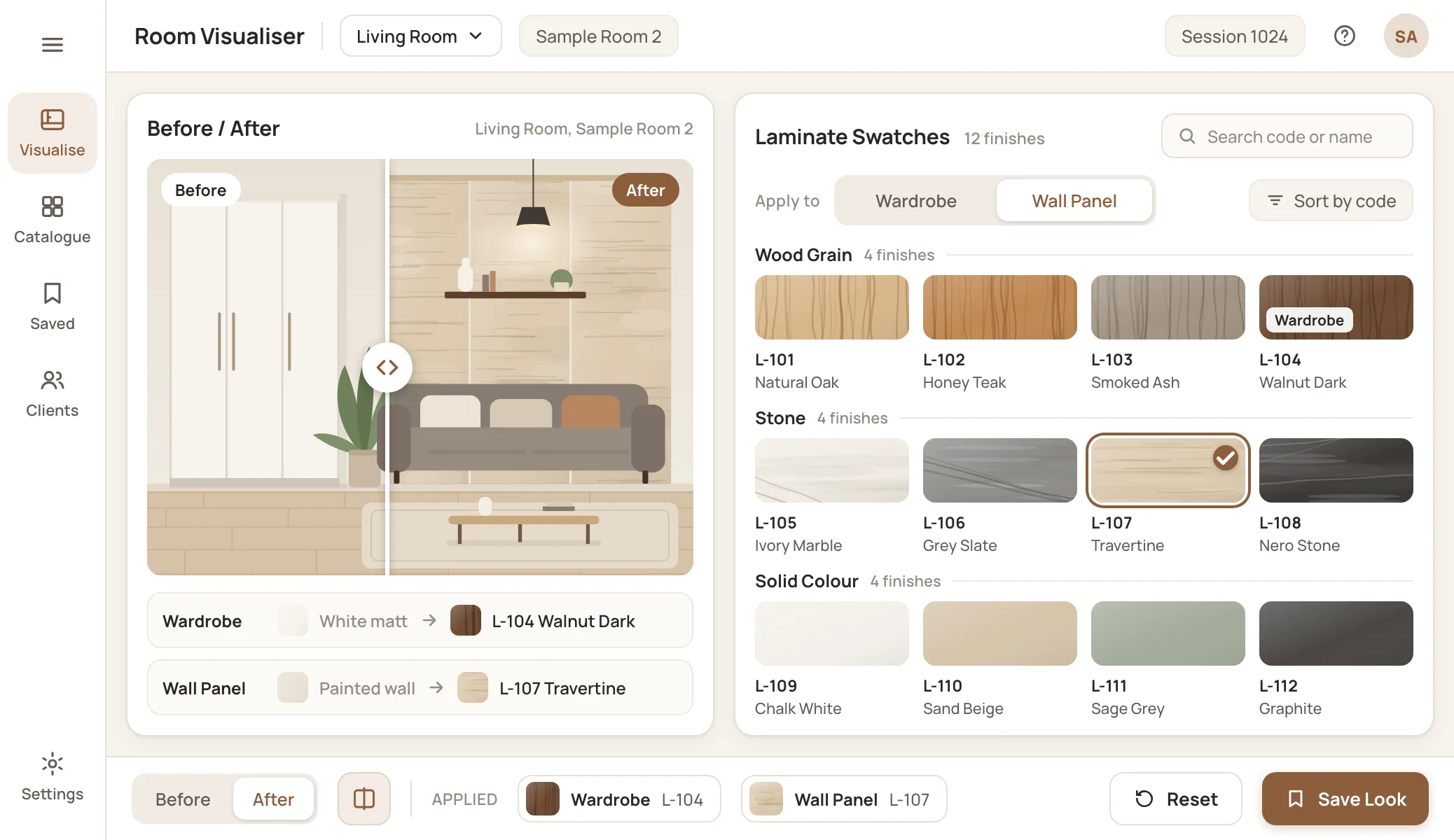
A national laminates brand in India came to Unico Connect to solve the showroom visualisation problem. Customers face a large range of sample sheets and struggle to imagine how a specific laminate would look in their actual space, so many leave overwhelmed rather than confident. We built an AI Visual Assistant as a native tablet application deployed in the showrooms, letting customers select any product and see it rendered in realistic room settings, build a shortlist of preferred products and walk away with a curated PDF of their selections.
The application turns passive sample-sheet evaluation into active, in-context visualisation across kitchens, bedrooms, living rooms, offices and commercial spaces, and it is engineered for the pilot validation phase with the architecture ready to extend once the concept is proven across stores.

The Challenge
The brand operates retail stores across India, with a large catalogue spanning laminates, veneers, acrylic panels and wooden flooring. The product range is a competitive strength, and customers come to the brand because it carries more options than the alternatives. But the breadth creates a discovery problem at the point of sale that the brand had not been able to solve.
The showroom experience runs on physical sample sheets. A customer walks into a showroom, picks up swatches of the laminates they are considering, and tries to mentally project how each would look in their space. The leap from a small sample to a kitchen counter, a wardrobe panel or a commercial space wall is more cognitive work than most customers can do confidently. Some stores have stencils that show preset combinations, and a few have experimented with VR headsets, but stencils are limited to a small number of combinations, and VR sessions are slow and their resolution does not match the quality of the physical product itself.
Customers can spend hours going through samples in a single visit, and many leave overwhelmed. The conversion gap between customers who can visualise a specific product in their context and those who cannot is a major commercial constraint at the showroom level. Customers do not lack interest, and the product is not the issue. The decision is hard to make from sample swatches alone.
The brand approached Unico Connect with a clear thesis. If a customer could see their selected product rendered in a realistic room setting, a kitchen with that specific stone-finish laminate on the countertop, a bedroom with that wood-grain veneer on the wardrobes, a commercial reception with that acrylic panel as a feature wall, the decision would become tangible. Customers would stop evaluating samples in isolation and start evaluating outcomes. That shift was the proposition.
The engagement was scoped as a pilot validation, with a build phase followed by live testing in a pilot store. The tablet experience for customers and the capture of customer interaction data were in scope. The admin panel for catalogue management and the analytics dashboard for business intelligence were out of scope for this phase, with the catalogue managed through CSV import and analytics exported from the database as needed. The technical bar was high, because customers can tell when an AI generated image is wrong and any visualisation that does not look credible erodes trust quickly. The pipeline had to produce convincing renderings across diverse room types and do so fast enough to keep the conversation in the showroom moving.
Our Approach
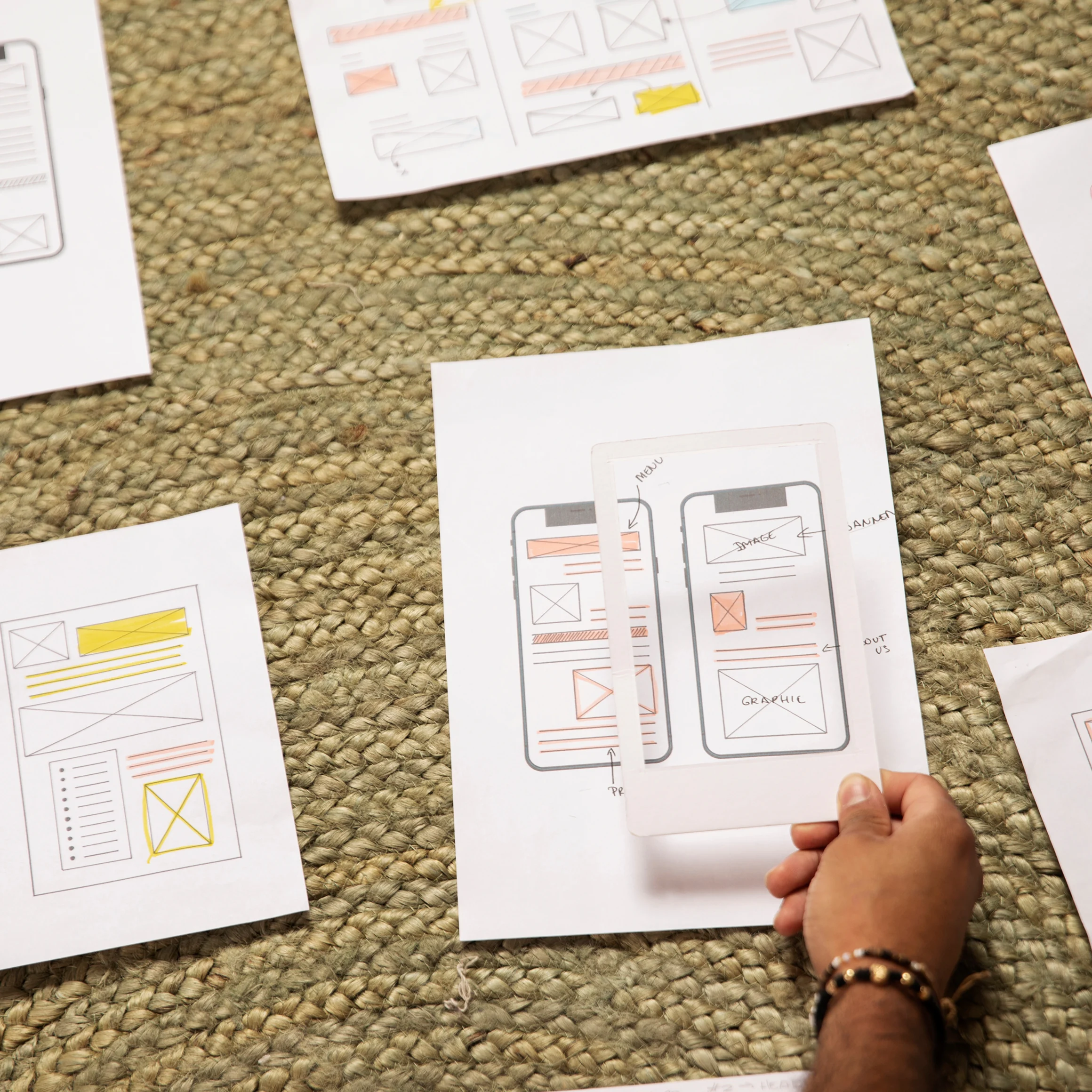
We engaged with the brand as a product partner across design, AI engineering and the operational mechanics of running a tablet application inside their showrooms. The first phase was understanding how the showroom actually works: how customers arrive, how store associates guide them, how decisions get made in the room and where the current visualisation tools fall short of customer expectations.
Key decisions:
Deliberate narrowing for the pilot
The first version focuses on visualisation of one product at a time across multiple room settings. Broader journeys like design-inspiration browsing, room-by-room planning across product lines and cross-product recommendations are valuable but secondary, and building them in parallel would have diluted the experience. Get the core visualisation right at the pilot stage, validate it with real customers in a real store, then extend based on what the pilot actually shows.
Architecture built around the visualisation pipeline
We chose Nano Banana 2 (Gemini 3.1 Flash Image) as the AI visualisation model because it produces room renderings of high quality with the realism the category requires, at response times that work for an interaction in the showroom. A Flutter tablet application is the surface customers use, a Node.js backend orchestrates the pipeline and integrates with the catalogue, PostgreSQL holds the catalogue and session data, and PostHog captures how customers actually use the application.
The showroom workflow as a first-class concern
The store associate is part of the experience, not a bystander. The application supports a guided mode where the associate helps the customer drive the session, identifying products by design number or QR scan, suggesting categories and managing the device between sessions. The shortlist and PDF export are the bridge from the in-showroom experience to the decision the customer continues at home, which is the mechanic that turns a memorable visit into actual conversion.
The solution we built
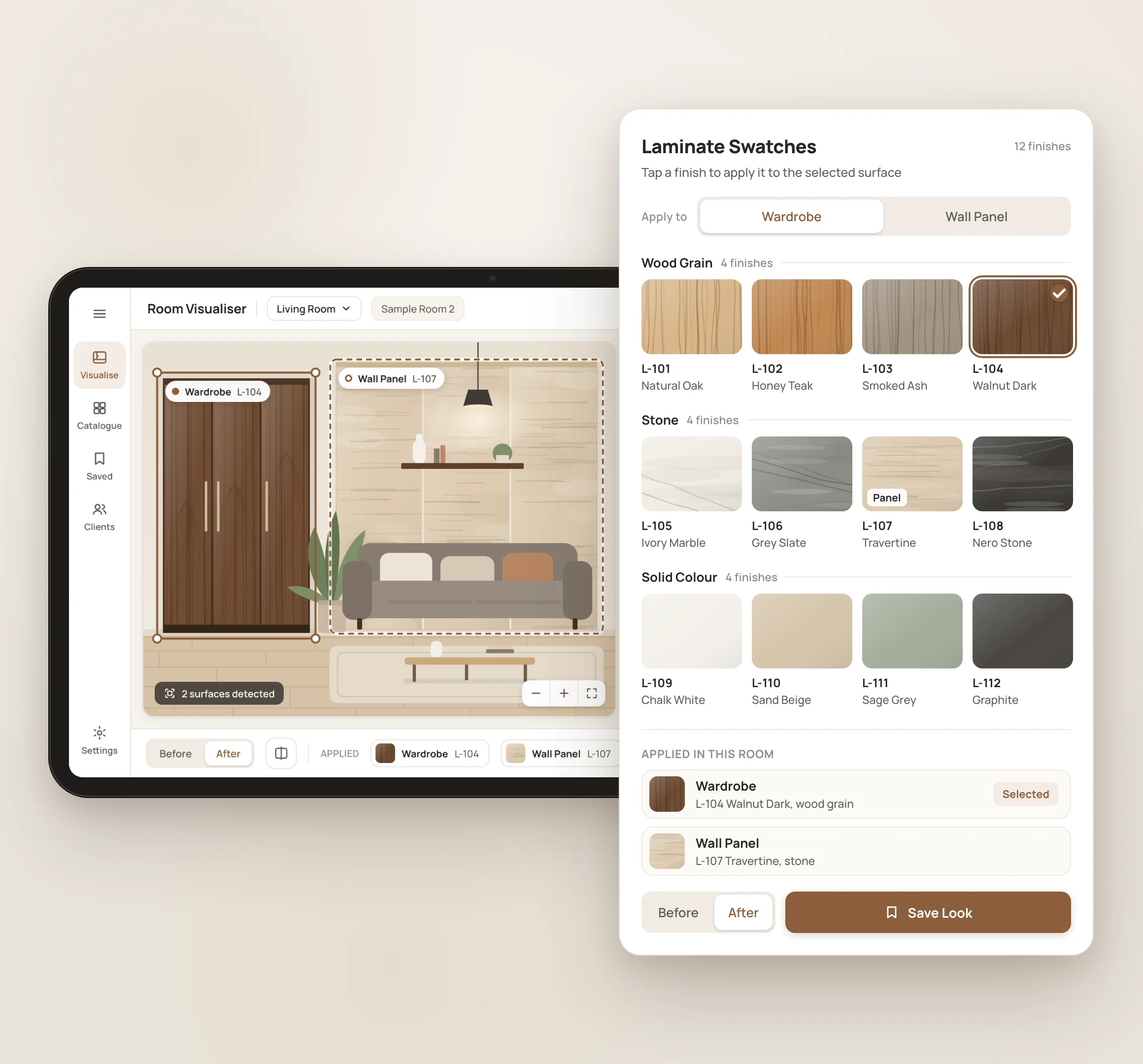
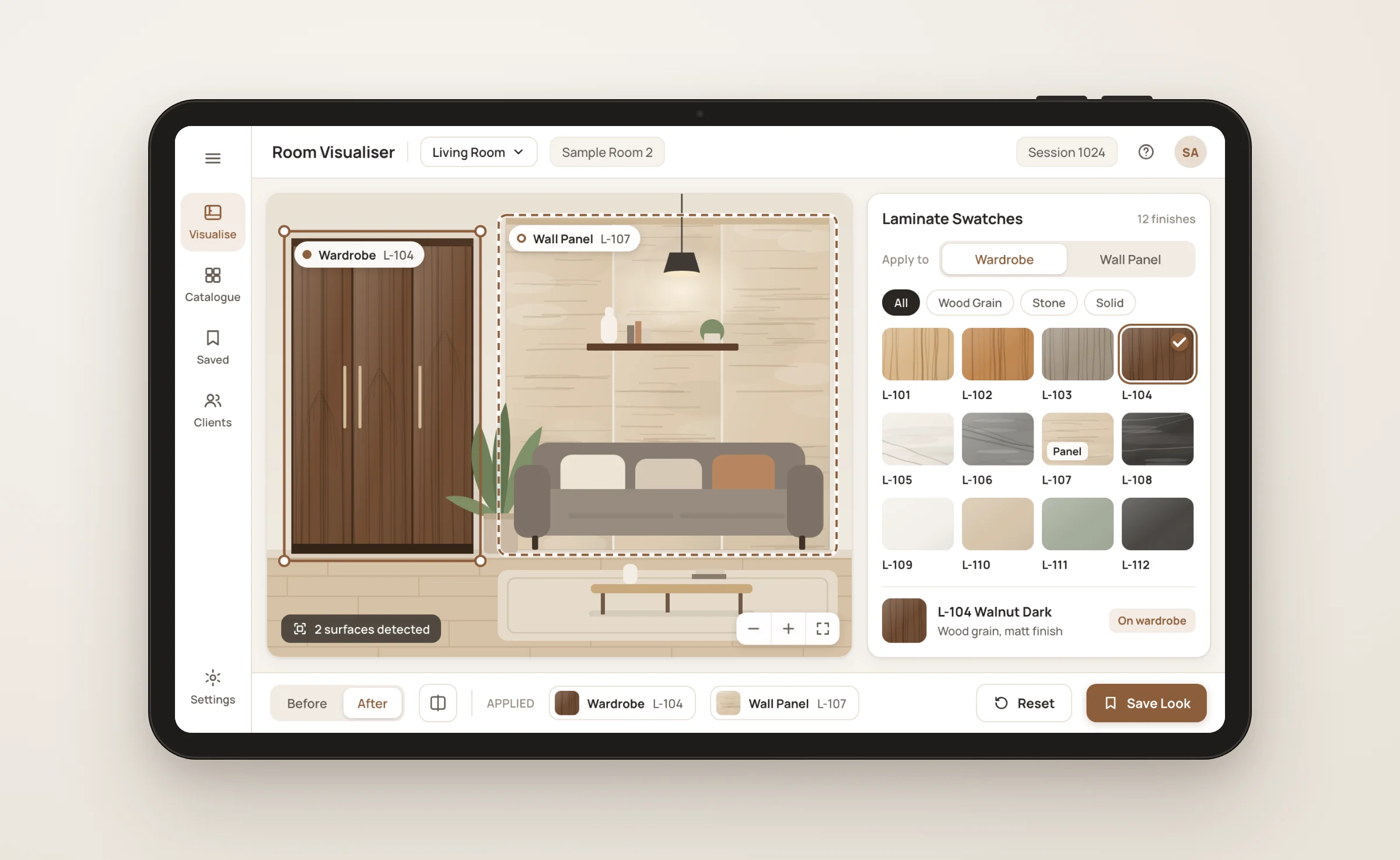
A Flutter-based native tablet experience deployed in the brand showroom. The store associate or customer starts a session, captures basic details for follow-up, selects the preferred language, and the customer is in the experience. From there, product selection, AI visualisation, variations, shortlisting and PDF export carry the journey from swatch to confident decision.
Native tablet experience
A Flutter application deployed on the showroom tablet. A session starts with basic customer details captured for follow-up and the customer preferred language selected, so the experience meets each customer where they are from the first screen.
Several ways to select a product
Customers enter the design number with the associate if they have one in mind, scan the QR code on the physical sample sheet (what most do, because they are already holding the swatch), or browse the digital catalogue on the tablet to explore beyond what they have picked up.
AI visualisation in context
Once a product is selected, the pipeline renders it in realistic settings: kitchens, bedrooms, living rooms, offices and commercial spaces. The renderings show the product in context rather than as a flat sample, and they appear fast enough to keep the in-store conversation moving rather than stalling it.
Variations on demand
Customers can request variations: different companion materials, different room types, different colour pairings. Each variation produces a new visualisation the customer can compare alongside the others, so they explore confidently rather than struggling to keep options straight in their heads.
Shortlist and PDF export
Customers save the products and the specific visualisations they want to remember. When they are ready to leave, the shortlist exports as a curated PDF with product details and room visualisations, which the customer takes home to support the decision conversation with whoever else is involved.
Customer interaction capture
Products viewed, products shortlisted, session duration and the path through the experience are captured in PostgreSQL and available for export, with PostHog providing the analytics view. The brand uses this to follow up after a visit and to understand the patterns that drive conversion.
CSV-based catalogue for the pilot
For this phase, catalogue management runs through CSV import and backend scripts rather than a dedicated admin panel. The product team maintains the catalogue this way, with the architecture ready to layer in a proper admin panel once the pilot validates the concept.
Tech stack





Outcomes & Impact
Customer experience
Showroom browsing becomes active, in-context visualisation
Customers selecting a product see it rendered in realistic room settings rather than evaluating a swatch in isolation, which closes the cognitive gap between sample and outcome, a major commercial constraint at the showroom level. The variations and shortlist let customers explore confidently rather than struggling to keep options straight in their heads.
Showroom staff
The associate becomes the guide to the conversation, not a bystander
The associate can suggest variations, surface companion products and structure the journey toward the products that are resonating with the specific customer. This is the operational change that turns the application into a sales asset rather than a novelty that sits unused.
Decision support
A curated PDF bridges the showroom visit and the decision at home
Customers walk out with a record of what they liked and how it looked in their space, which supports the conversation at home with whoever else is involved in the decision. This is the mechanism that captures the value of the in-showroom experience for the conversations that happen afterward.
Business visibility
First real data on how customers move through the showroom decision
Products viewed, products shortlisted, session duration patterns and the variations customers request give the brand visibility it has not had before. The architecture is also positioned for the broader rollout: additional stores deploy the existing pipeline, catalogue extends through CSV, and the admin panel and analytics dashboard can be layered in once the pilot validates the concept.
Trusted and verified by our clients


 ISO/IEC 27001:2022
 ISO 9001:2015
 GDPR compliant
Frequently Asked Questions


Tell us about your project
Tell us about your product range, the in-store experience you want to deliver and where you want the capability to be in twelve months. A 30-minute call is the fastest way to find out whether Unico Connect is the right partner.
Prefer to book directly?
🗓️ Schedule on Calendly →Or email us:
✉️sales@unicoconnect.com