









Claude Code Skills, How Unico Configures Them for Real Projects

Saurav Jagdale
Technical Lead, Unico Connect
In this article
- Quick Answer
- Key Takeaways
- What Claude Code Skills Are and Why Unico Treats Them Differently from Prompts
- Why Reusable Skills Matter More Than One-Off Prompting
- How Unico Configures Claude Code Skills for Real Work
- What Good Skill Configuration Includes
- Where Claude Code Skills Create the Most Leverage
- Limits, Risks, and Why Human Review Still Matters
- What Engineering Leaders Should Take from This Approach
- Frequently Asked Questions
At Unico, we treat Claude Code skills as tightly scoped engineering workflows rather than general purpose coding assistants. We use them for repeatable development tasks where consistency matters more than raw code generation speed, such as structured refactors, test scaffolding and standardized review preparation. Engineering decisions stay with the developers. The aim is to reduce variation in repetitive implementation work while developers remain fully responsible for validation and review.
Quick Answer
Claude Code skills are reusable, governed engineering workflows. Each skill is a folder holding a SKILL.md of structured instructions that Claude loads on demand through a slash command or a task trigger. Unlike one-off prompts, they standardize how a recurring task is done across the whole team. Unico scopes each skill narrowly, injects repo context, fixes the output format and builds in test and review checkpoints. We never use skills for ambiguous design or security-sensitive logic, and developers stay accountable for every merge.
Key Takeaways
- Manage each skill as a governed, reusable workflow asset in a versioned folder, so every developer on the team runs the recurring task the same way.
- Reusable skills cut architectural variation. Once the output is predictable, peer review gets faster, because reviewers stop rechecking formatting and spend their time on business logic.
- Write down what the model must not do. A good configuration sets strict task boundaries, injects repo context, fixes the output format, adds validation steps and names the escalation rules.
- Skills pay off most on bounded, repetitive tasks that are easy to validate. Keep them away from ambiguous design, security-sensitive auth and high-risk financial modules.
- Adopting Claude for development does not by itself make a team mature. Maturity comes from workflow design, review discipline and measurable benchmarks such as cycle time and defect leakage, so decide which metrics you will track.
What Claude Code Skills Are and Why Unico Treats Them Differently from Prompts
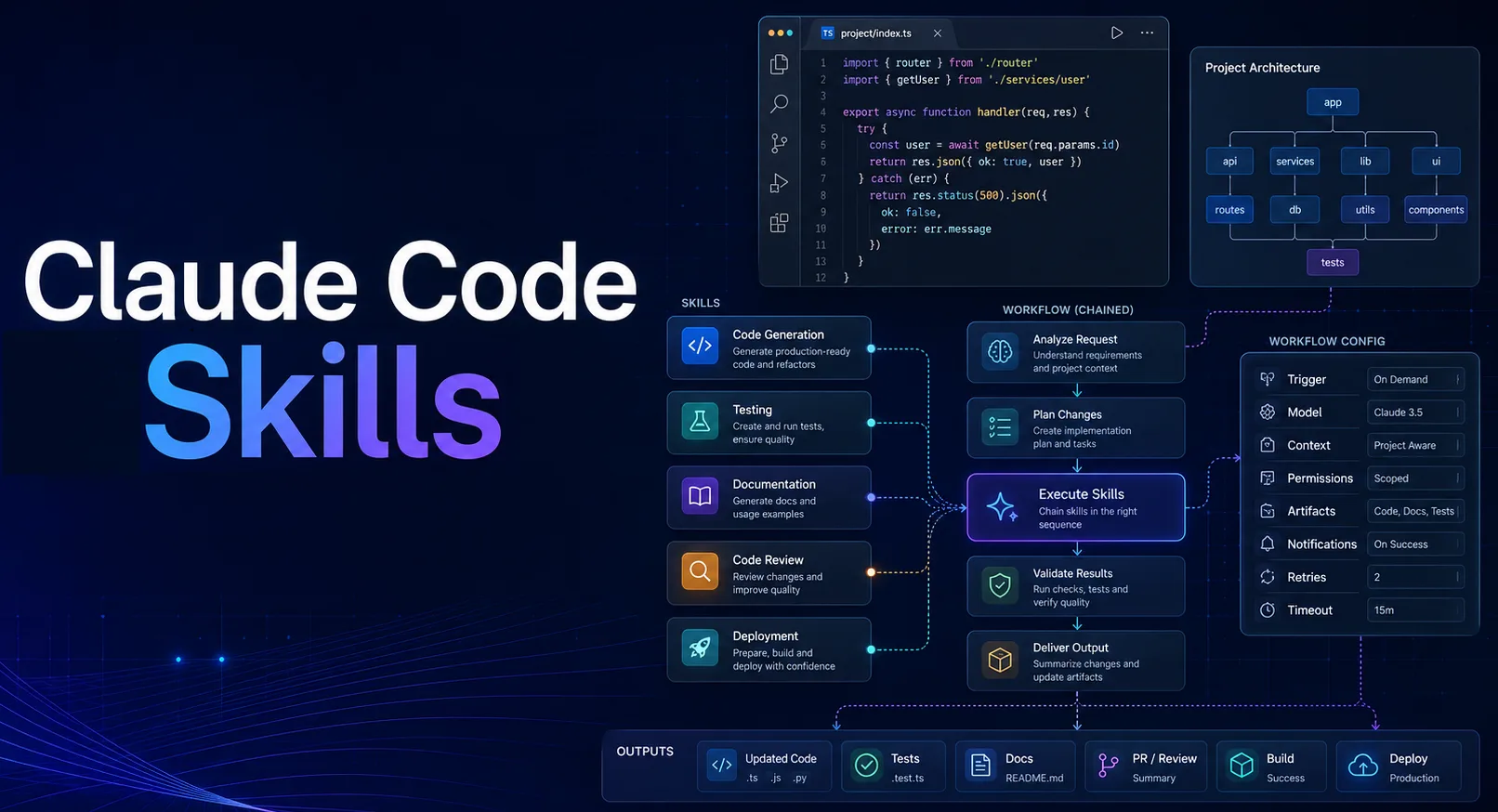
A Claude Code skill is a set of reusable, heavily structured instructions tied to one specific, recurring task pattern. On disk it is a folder containing a SKILL.md file with those instructions, plus optional scripts or reference files, and Claude discovers and loads it only when a task calls for it (a design Anthropic calls progressive disclosure). A developer invokes a skill with a slash command or lets Claude trigger it automatically from the task description. We handle skills very differently from ad hoc prompts. A standard prompt is a one-off, conversational request, and it leans heavily on whatever context and memory the individual developer has in mind at that moment.
Skills are built for repeat use across the entire engineering team, and that difference matters a great deal for team delivery. When you work with Claude programming capabilities, consistency counts for far more than isolated bursts of speed. Because a skill fixes how the task is approached, the baseline output of Claude AI code skills meets the exact same architectural standards whether a junior developer, a technical lead or an AI engineer runs the workflow.
| One-off prompt | Claude Code skill | |
|---|---|---|
| Scope | Single conversation, ad hoc | A specific, recurring task pattern |
| Reuse | Tied to the context of one developer | Operationalized across the whole team |
| Consistency | Varies by developer and session | Same architectural baseline on every run |
| Where it lives | Chat history | A folder + SKILL.md, versioned and shareable |
| Invocation | Re-typed each time | Slash command or automatic task trigger |
| Review impact | Reviewers recheck structure each time | Predictable output, so faster peer review |
Why Reusable Skills Matter More Than One-Off Prompting
Standardizing repeatable tasks cuts architectural variation sharply. When five developers use five different prompts to generate API controllers, the review team has to validate five different structural interpretations. A reusable skill removes that drift. It locks in the context and constraints, so the code Claude generates comes back in a highly predictable shape, and that makes peer review much easier and faster. At Unico, generating "more code" quickly is never the goal on its own. We integrate AI to build reliable, scalable workflow support that enforces quality over sheer volume. It is the same discipline we bring to broader AI development workflows using Claude Code, Cursor & Copilot.
How Unico Configures Claude Code Skills for Real Work
Unico uses a strict configuration framework to move Claude AI for development out of an experimental sandbox and into an operational pipeline, because Claude Code skills only work when their scope is rigidly defined.
- Choose a narrow, repeatable task. Broad instructions fail, so we restrict skills to specific, tightly scoped operations such as migrating a component to a new state management library.
- Define repo context and project rules. Each skill carries the strict architectural conventions, naming rules, approved libraries and change limits for that repo.
- Specify expected output format. We dictate exactly how the code comes back, and we require inline documentation that explains the generated logic.
- Add testing and review checkpoints. The skill has to generate matching test scaffolding before it produces the final merge-ready output.
When developers feed precise project patterns, such as custom UI component hierarchies or strictly typed data models, into Claude AI code skills, the output lines up cleanly with the existing codebase. That rigid boundary setting is what separates casual tool experimentation from mature, operationalized AI-augmented development.
What Good Skill Configuration Includes
A production-ready skill configuration spells out what the model must not do as well as what it should do. To apply Claude programming capabilities well, you need a strict task boundary, accurate project context, rigid output requirements and clear validation steps. We also write escalation rules, meaning the conditions under which the AI should stop generating and flag the developer. With all of that in place, the output from Claude is ready to test immediately, straightforward to review and safe to reuse without pulling in hallucinated dependencies.
Where Claude Code Skills Create the Most Leverage
We apply Claude AI for development to tasks that are bounded and repetitive, and that automated tests or a quick visual inspection can easily validate. The biggest payoff comes from refactoring repetitive modules, generating unit test scaffolds for edge cases, handling tedious integration changes and preparing structured code review notes. These tasks sit inside tight logical boundaries, so the AI handles them with high reliability.
On a backend workflow for a fintech client project, the job was to write thorough unit tests for a newly integrated payment webhook handler. We configured the Claude Code skill with the specific testing framework used in the repository, predefined mock data structures and explicit instructions to cover edge-case failure states such as API timeouts, invalid signatures and partial payloads. It produced a complete suite of test scaffolds in our exact assertion style, so the engineer only had to validate the logic and approve the merge. The repetitive scaffolding was done quickly, and the critical edge cases were covered without lowering our engineering standards. The skill wrote only the test scaffolds. The handler logic and the signature checks stayed with the engineer, in line with our rule on financial modules.
Limits, Risks, and Why Human Review Still Matters
Useful as they are, Claude Code skills have hard limits. The main risks include running with incomplete repo context, generating code that looks plausible but is logically flawed, missing critical edge cases and causing gradual architecture drift in larger codebases.
At Unico, we never rely on Claude programming capabilities for ambiguous architectural design work, security-sensitive authentication logic or high-risk financial modules. AI lacks the contextual awareness to understand organizational constraints nobody documented or business goals nobody stated. That is why human review, thorough automated tests and senior engineering judgment remain the final control layer. Developers are accountable for the code they merge, so every AI-generated output needs the same rigorous scrutiny as a pull request from a human peer.
What Engineering Leaders Should Take from This Approach
For technical leaders, adopting Claude AI for development is not the same as engineering maturity, which comes from deliberate workflow design, strict review discipline and benchmarks you can measure. Leaders should track specific downstream metrics, namely cycle time reduction on repetitive tickets, the review burden on senior engineers, defect leakage rates and test coverage percentages. Organizations must treat Claude AI code skills as heavily governed, reusable workflow assets instead of standalone automation tools meant to replace human effort. That is the model we follow when we roll out Claude Code for engineering teams. If you want outside help with your own rollout, compare the best Claude Code consulting companies by partner tier and delivery proof.
Frequently Asked Questions
Are Claude Code skills the same as saved prompts?
No. A saved prompt is an isolated, conversational shortcut. A Claude Code skill is a repeatable workflow component, configured with strict repo context, project rules and output boundaries so that the whole team works from the same standard.
Which tasks are best suited to Claude AI code skills?
Highly repetitive, strictly bounded tasks that are easy to review suit them best. Good examples are generating boilerplate test scaffolds, refactoring isolated legacy components to new standards and formatting pull request documentation.
Can the coding capabilities of Claude reduce engineering review time?
Yes, but only on narrow tasks where configuration and validation boundaries are firmly enforced. When a skill keeps the structure of its output consistent, reviewers spend less time on syntax and formatting and can put their attention on business logic.
When should teams avoid relying on the programming capabilities of Claude?
Teams must not rely on AI to resolve ambiguous business requirements, design foundational security architectures or carry out large-scale, cross-service design changes where missing context could introduce systemic risk.
Is Claude AI for development useful without a defined workflow?
Only in a limited way. Individual developers can use it for quick problem-solving, but the business value stays inconsistent. Teams without a defined workflow and standardized skills risk generating varied, unmaintainable code that adds to technical debt over time. A disciplined AI-native development practice turns Claude Code from a quick fix into a repeatable advantage.