









Built an AI grading and assessment tool that turns paper submissions into structured scores, reports and feedback through a simple email workflow for teachers
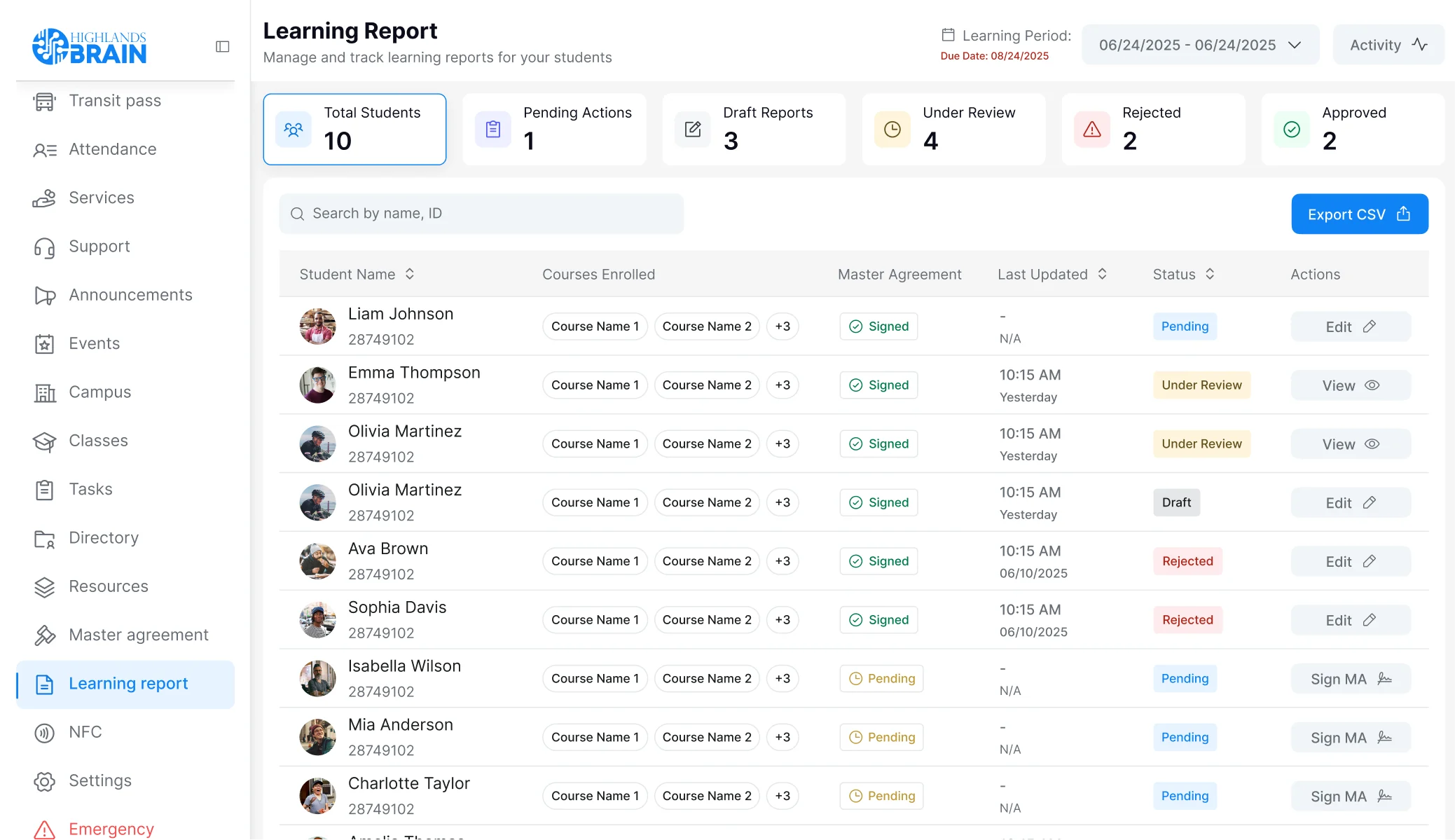
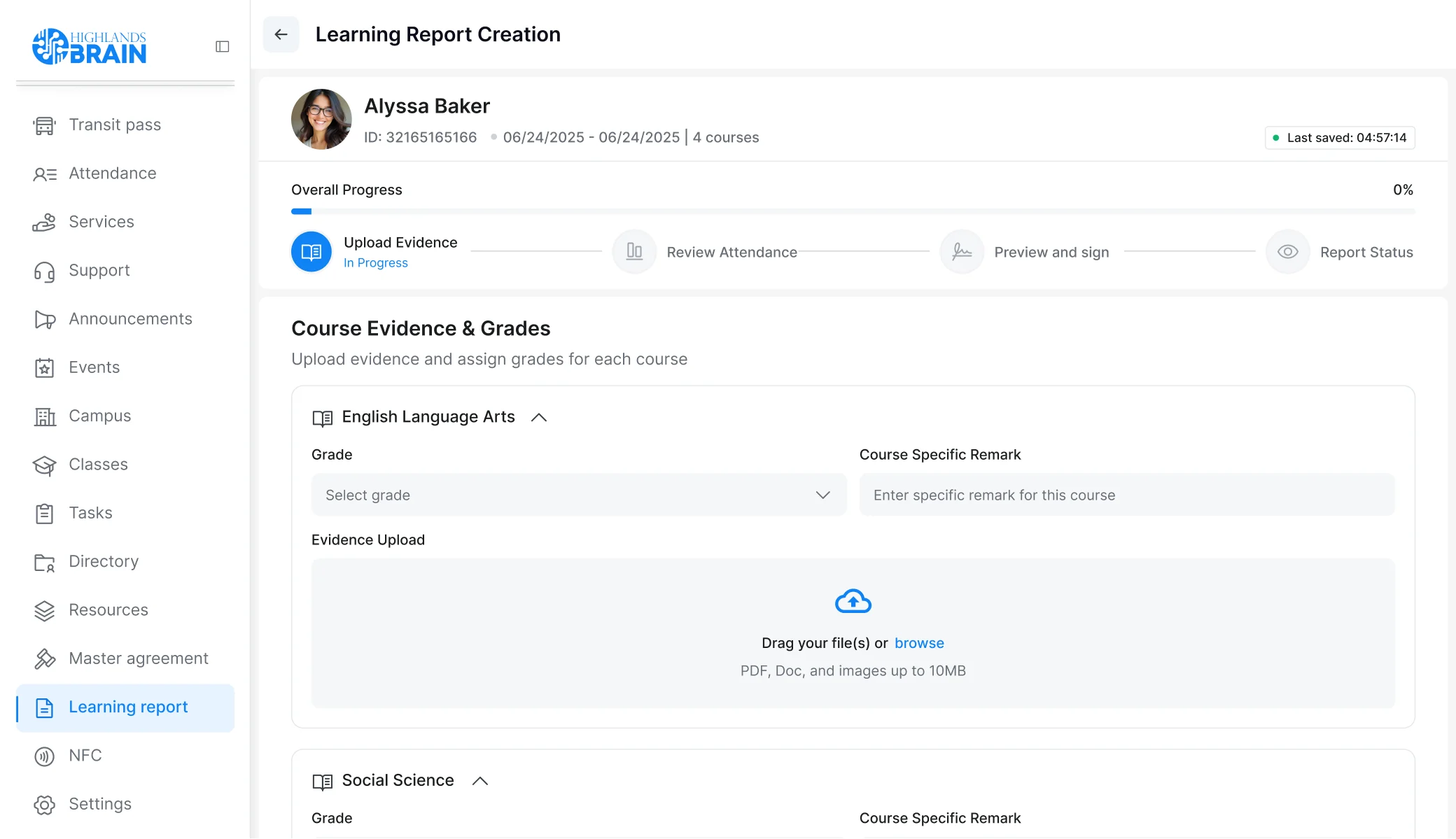
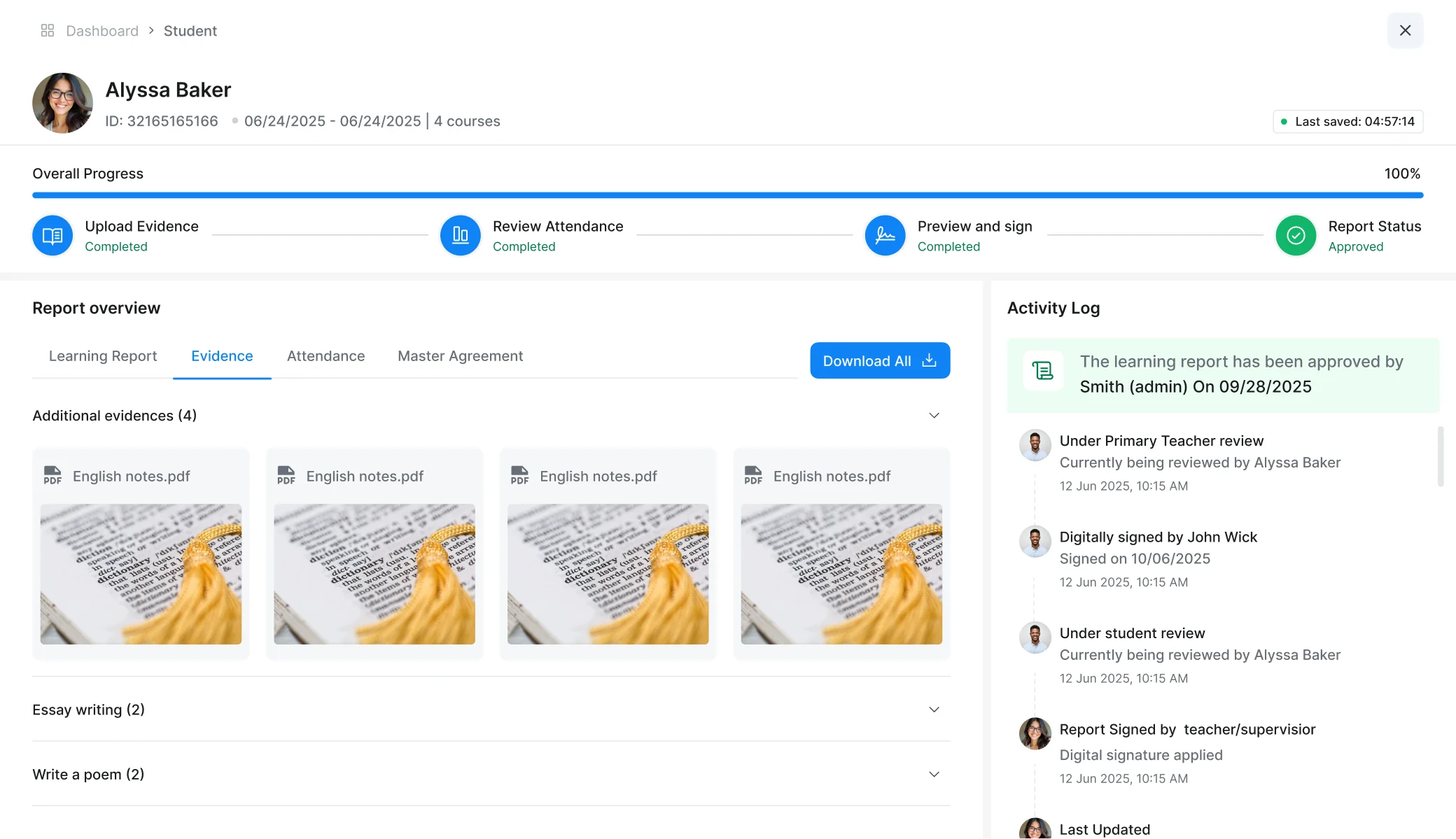
An AI-powered grading platform for a school where teachers send the exam paper, the answer memo and student submissions to a central inbox. The system runs OCR and grading logic against the material, then returns structured scoring reports with strengths, improvement areas and consistent feedback to the teacher.
Key Takeaways
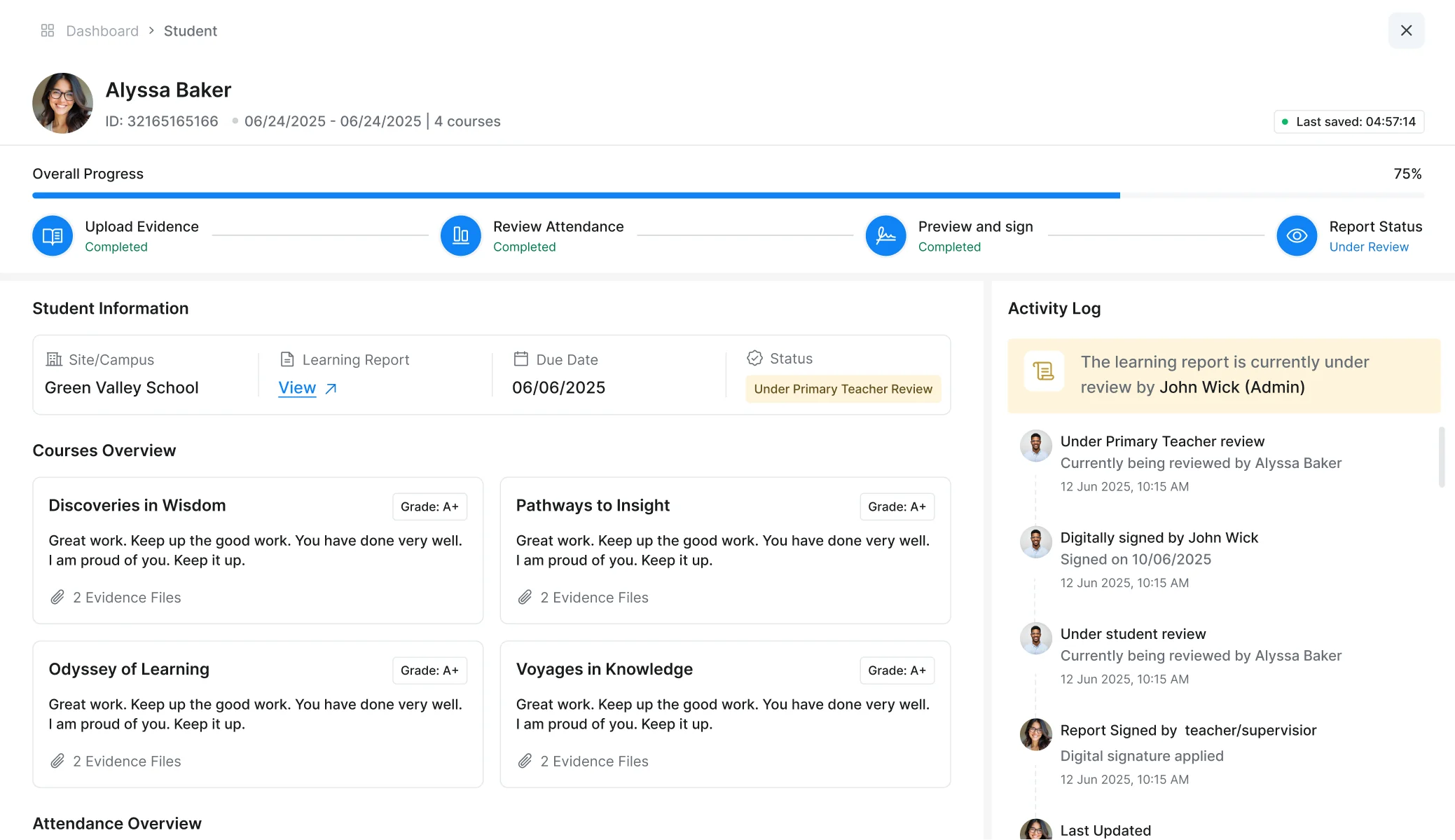
A school approached Unico Connect to take the grading work that teachers spend disproportionate evenings and weekends on and turn it into an AI-assisted workflow that teachers can drive through email. We built the tool so teachers send the exam paper, the answer memo and student submissions to a central inbox.
The system runs OCR on the material, grades against the memo, scores consistently and produces structured reports with strengths and improvement areas that go back to the teacher. The workflow fits how teachers actually work rather than asking them to adopt a new platform.

The Challenge
Teachers grade. They grade evenings, weekends, holidays and in any time fragment they can find between lessons. The work is repetitive at a per-paper level, but it is also genuinely important, because grading is one of the most direct ways teachers shape student learning. A well-graded paper, with consistent scoring and feedback on what the student got right and where they need to improve, supports the learning loop. A grade applied in haste at the end of a long week does not.
The school approaching Unico Connect understood this trade-off. They wanted their teachers spending more time on the substantive work of teaching and less on the mechanical part of grading. The vision was an AI tool that handles the routine scoring against an answer memo, produces consistent results across submissions and gives the teacher a structured report on each student that supports the next conversation with the student or the parent.
The challenge was not the AI work itself. Grading AI models exist, OCR for handwritten and printed text exists, and scoring logic against answer keys is a defined problem. The challenge was the adoption design. Most AI tools in education fail at the deployment layer because they ask teachers to learn a new platform, upload files in a specific format, navigate a dashboard and fit the tool into their existing workflow. Teachers do not have the time or the inclination to do this, and a tool that requires adoption work loses against the manual grading it is trying to replace.
The client framed the solution direction clearly. The tool had to fit the way teachers actually work, not the other way around. Teachers already email each other materials. They already work from their inboxes. They already handle scanned and photographed student submissions through email. So the entry point had to be email; the teacher's only action should be sending the right materials to the right inbox. Everything else, the OCR, grading, scoring, report generation and delivery back to the teacher, happens behind the scenes.
The accuracy bar mattered too. Teachers will not adopt a grading tool that gets things wrong in ways that require them to grade everything again to catch the errors. The OCR had to handle handwritten student submissions cleanly. The grading logic had to apply the answer memo consistently, producing the same score a teacher applying the memo would produce. And the feedback had to be useful to the student rather than generic, which meant the report needed to surface actual strengths and actual improvement areas.
Our Approach

We engaged with the client as an AI capability partner, with the work structured around the email-driven workflow as the design anchor and the OCR-and-grading pipeline as the engineering work. The teacher's only action is sending an email with three attachments; everything else happens behind the scenes and returns by email, which fits the mental model teachers already have.
Key decisions:
Email as the entire adoption layer
The teacher sends an email to a designated address with three attachments: the exam paper, the answer memo and the student submissions. The system parses the email, identifies the three document types, runs the appropriate processing on each and emails the report back. No platform login, no upload UI, no dashboard navigation. The mental model is "I emailed it, I will get the result by email."
OCR accuracy as the central priority
Everything downstream depends on it. Handwritten student submissions are harder than printed text, and the failure modes are predictable: cursive script, unusual handwriting styles, poor scan quality. The pipeline handles these with specific tuning rather than relying on generic OCR, and when it is uncertain about a section it flags it for teacher review rather than guessing.
Feedback grounded in the actual material
The comparison logic applies the answer memo as a structured rubric to each submission, scoring the same way for every student rather than depending on teacher attention drifting across a stack of papers. The report surfaces what the student got right, where they fell short and where to focus, grounded in their actual responses rather than generated freely, which is what makes it useful.
The solution we built
A complete pipeline that lives behind a single inbox address. From the teacher's perspective the experience is sending an email and getting a report back; from the system's perspective, several layers run between those two points.
Inbox intake and routing
The inbox receives the teacher's email with the exam paper, the answer memo and the student submissions. The system parses the email, identifies each attachment by its content (the exam paper differs structurally from the memo, which differs from the student submissions) and routes each through the appropriate processing.
OCR layer
Converts the document images to machine-readable text. The exam paper is processed for structure (question types, expected answer formats, point allocations), the answer memo is processed to extract the structured rubric, and student submissions are processed page by page with the OCR tuned for the handwritten content student papers contain.
Grading engine
Applies the rubric to each submission. For each question, the engine compares the student's response to the memo's correct answer and applies the appropriate score, including partial credit where the memo allows for it. The grading is consistent across submissions because the same rubric is applied to every student, which removes the consistency drift of hours of manual grading.
Report generation
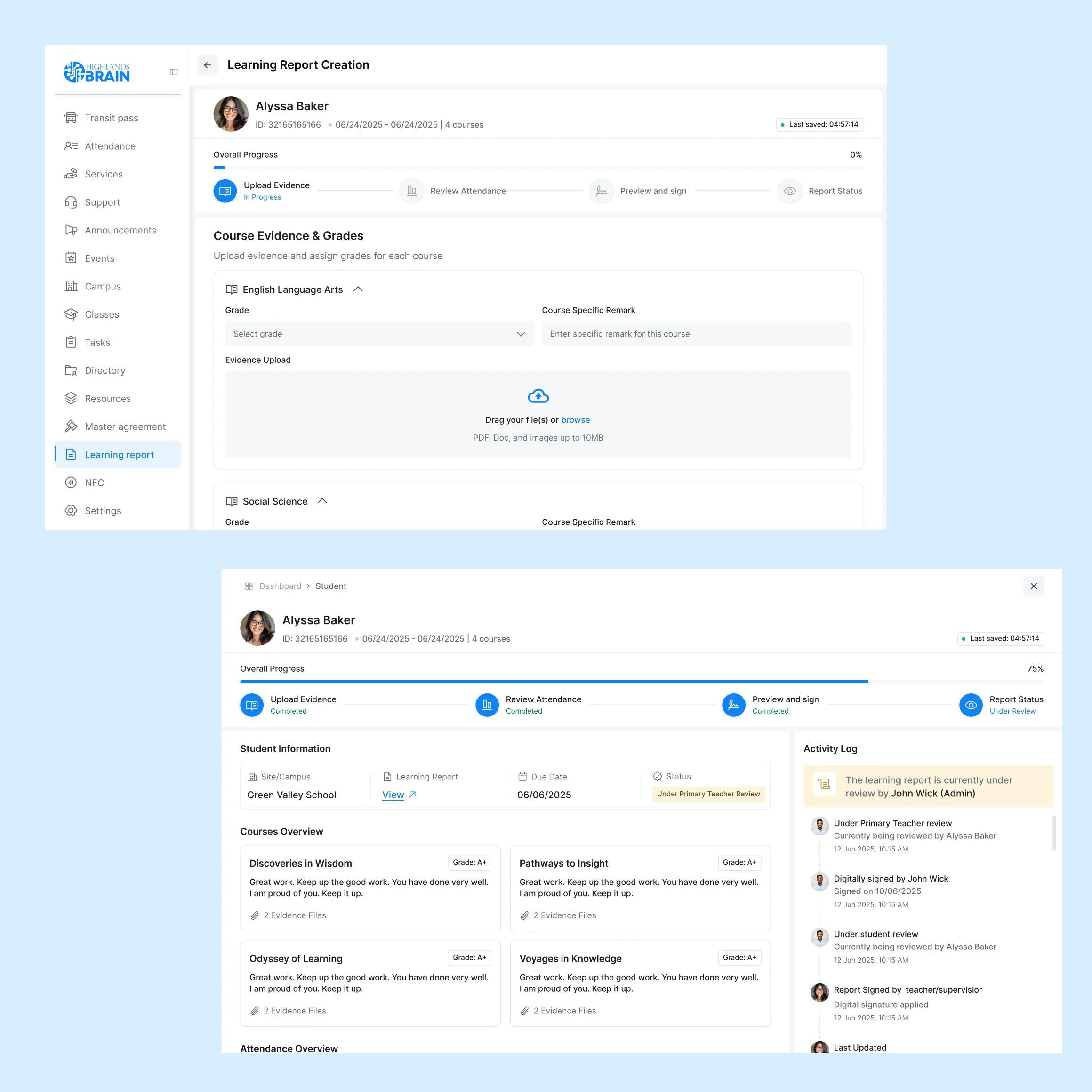
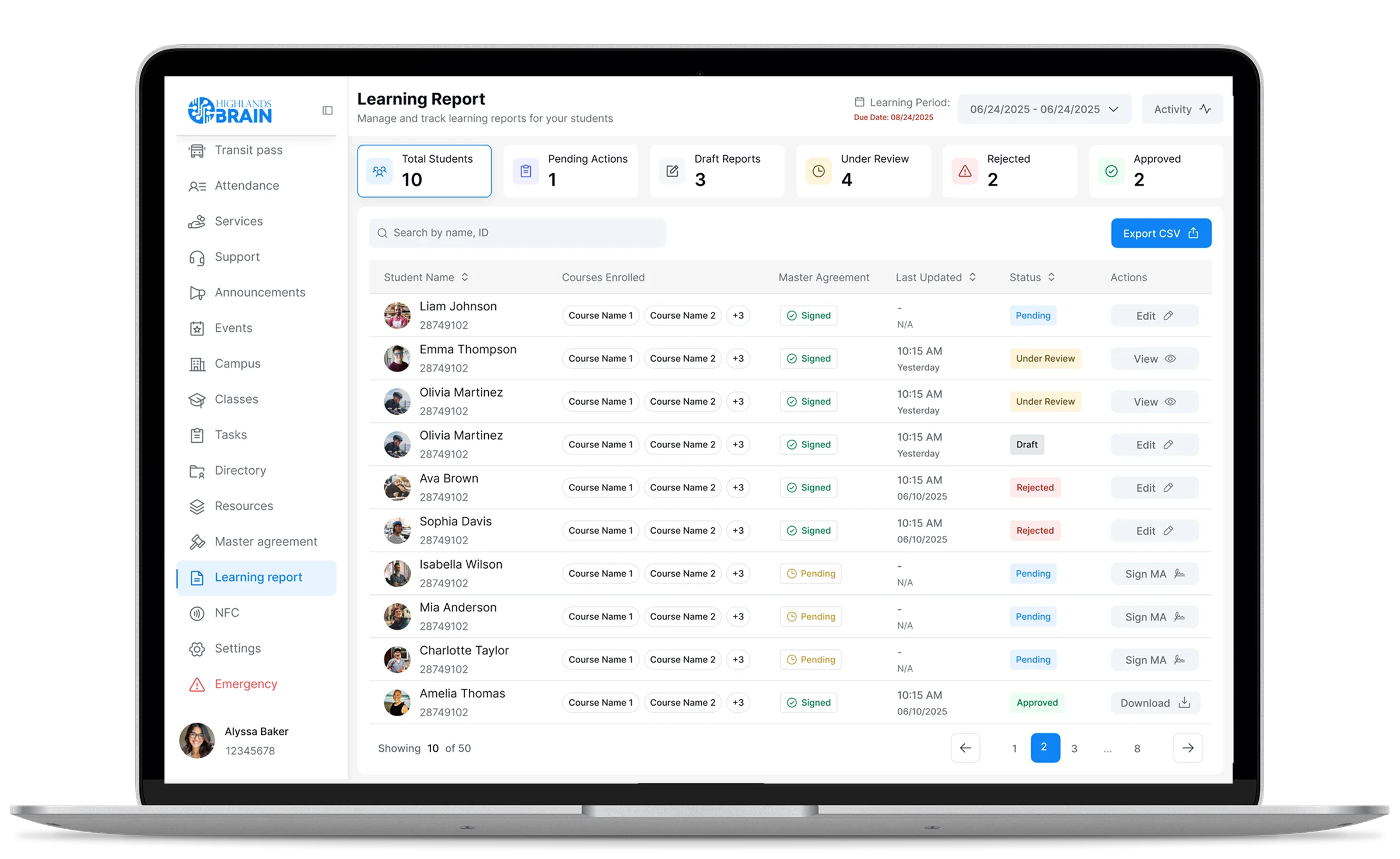
Produces a structured output per student: the overall score, performance per question or topic area, the questions right and wrong, and the strengths and improvement areas the system identifies from the submission. The feedback is grounded in the actual material rather than generated generically, which is what makes it useful to the student receiving it.
Teacher review and override
The output is packaged and emailed back to the teacher. The teacher can review the reports, adjust scores to override the AI grading and forward the reports to students. An audit trail is captured per submission so the teacher and the school can reconstruct any grading decision if needed.
Uncertainty flagging
The system surfaces uncertain cases for teacher review. When the OCR cannot read a section of a submission, the report indicates which section is unreadable and asks the teacher to review. When the grading is borderline between two scores, the system flags the case rather than making a confident guess. This is the discipline that keeps the system trustworthy in production.
Tech stack

Outcomes & Impact
Teacher time
Routine grading moves into the background
The work that used to consume an evening now happens after the teacher sends the email. The teacher reviews the reports, applies judgment to the borderline cases the AI flagged and moves on to the substantive work of teaching.
Grading consistency
The same rubric applies to every submission
When the same rubric applies to every submission rather than drifting across an evening of manual grading, students get the consistent scoring that supports the learning loop, and class-wide patterns become visible to inform the next lesson.
Student feedback
Reports turn a number into a learning artefact
Structured reports with strengths and improvement areas give the student something a percentage score does not: what they actually got wrong and where to focus their study time, grounded in their own responses.
Scale
Built to extend to more schools and subjects
New schools onboard by configuring the system for their subject mix and answer memo formats, and new subjects are added by extending the grading logic. The tool is positioned as the foundation for AI-assisted grading across the school network.
Trusted and verified by our clients


 ISO/IEC 27001:2022
 ISO 9001:2015
 GDPR compliant
Frequently Asked Questions

Tell us about your project
Tell us about your context, the workflow you run today and where you want the capability to be in twelve months. A 30-minute call with our team is the fastest way to find out whether Unico Connect is the right partner.
Prefer to book directly?
🗓️ Schedule on Calendly →Or email us:
✉️sales@unicoconnect.com