









OpenAI Agents API Explained, What Changes for Teams Building Agents

Shaun Kollannur
Senior AI Engineer, Unico Connect
In this article
- Quick Answer
- Key Takeaways
- What Is the OpenAI Agents API?
- What Does an Agents API Call Look Like?
- What Does the Managed Harness Do for You?
- Agents API vs Agents SDK vs Responses API
- How the Agents API Fits With Other OpenAI Agent Products
- Where Does the Agent Run?
- How Do Subagents Work in the Agents API?
- How Are Credentials Handled?
- What Does the Agents API Cost?
- Data Residency, Retention, and Security
- What Changes for Teams Already Running Agents?
- When Should You Use the Agents API?
- A Practical Adoption Checklist
- How Unico Connect Helps
- Frequently Asked Questions
- Sources
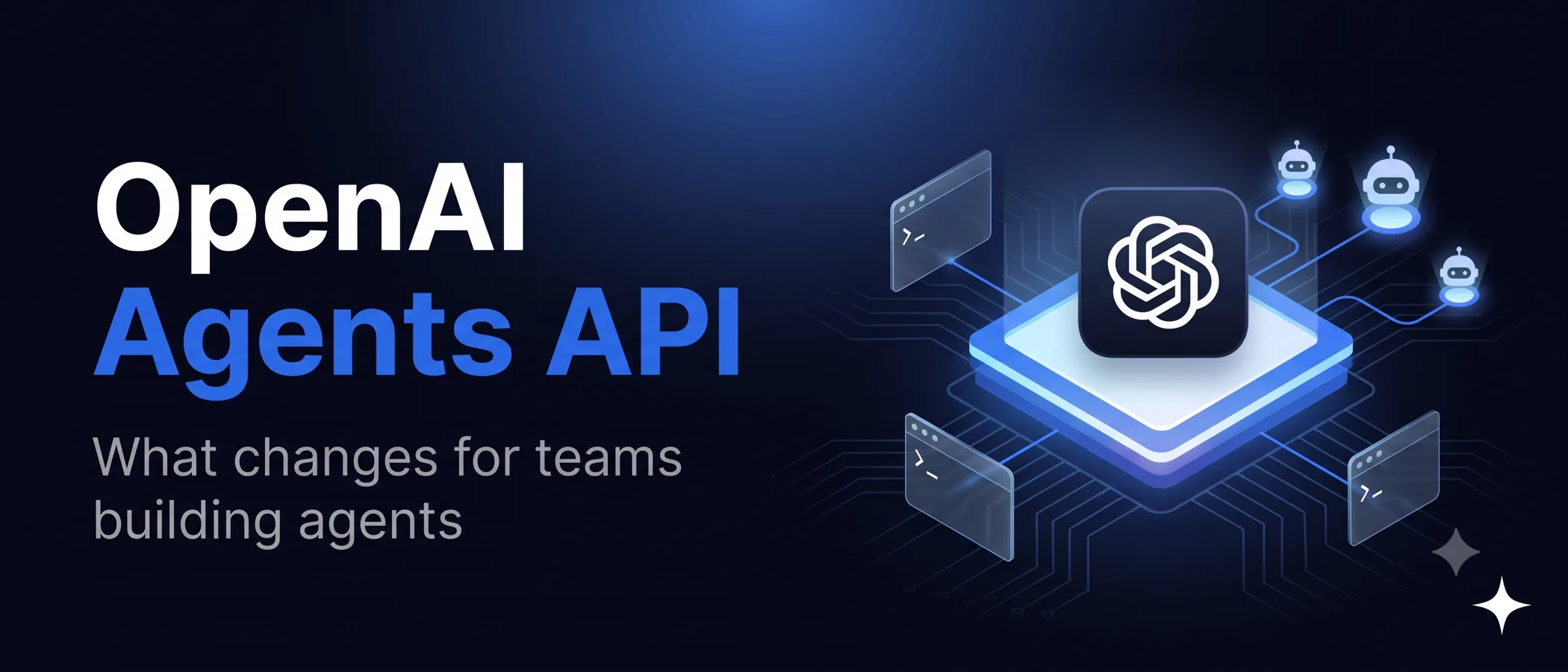
OpenAI released the Agents API in public beta on 10 September 2026. It gives developers the same harness that runs Codex, managed by OpenAI, so an application can start a long running agent with one API call instead of building its own loop for context, tools, and subagents. That changes who owns the hardest parts of an agent system, and it comes with limits that decide whether a regulated team can use it at all. The practical questions are how it compares with the Agents SDK and the Responses API, what it costs, and what changes for a team that already runs agents in production. We checked every detail against OpenAI documentation on 22 September 2026, and checked the prices, the code example and the built in tools again on 17 October 2026.
Quick Answer
The OpenAI Agents API is a managed service, in public beta since 10 September 2026, that runs the open source Codex agent harness. You define an agent, start a durable session, and OpenAI handles orchestration, context compaction, recovery, and subagents, while the agent works in an OpenAI hosted sandbox, your own sandbox, or none. There is no extra fee beyond tokens, tools, and sandbox time. Data residency is United States only, and Zero Data Retention is not supported.
Key Takeaways
- The agent loop moves to OpenAI, so you no longer maintain it yourself. The managed Codex harness takes over sessions, context compaction, recovery, programmatic tool calling, and tool search for MCP tools by default, and it coordinates subagents once you enable them.
- You still pick where the agent works. It can run with no environment, in an OpenAI hosted sandbox, or in a self hosted sandbox on your own infrastructure or with partners such as Cloudflare, E2B, Modal, and Vercel.
- Subagents take one setting to turn on. Up to six run at once by default, and because they share the session filesystem, agents that touch the same files have to coordinate.
- Budget per completed task. There is no platform fee. You pay for tokens, tools, and sandbox time, and root agent and subagent calls, retries, and reasoning tokens all add up across a task.
- Check your data rules before anything else. Data residency is United States only and Zero Data Retention is unavailable, which rules the Agents API out for many regulated, EU, and India based workloads today. For those, the Agents SDK or the Responses API with your own storage is the safer route.
What Is the OpenAI Agents API?
The Agents API gives your application access to the Codex harness through an API that OpenAI operates. OpenAI describes the harness as the part that manages context, uses tools efficiently, and coordinates subagents, and it says the same harness and infrastructure power Codex. The harness itself is open source, so you can read the logic that coordinates model calls, tools, and context, while OpenAI runs and maintains it.
The API is built around four concepts.
- Agent. The model, instructions, tools, and MCP servers available to the agent. You can pass it for one session or save it and reuse it by ID.
- Environment. An optional sandbox or computer where the agent accesses files, loads skills, and runs commands.
- Session. A durable instance of an agent that works on tasks and responds to input across turns.
- Events and items. The inputs you send and the output the agent produces, available as a stream, through webhooks, or as saved history.
A session runs in a simple loop. You create it, give it a task, follow progress through streaming or webhooks, then continue or steer it by sending more input, including while it is mid turn.
What Does an Agents API Call Look Like?
This Python example from the OpenAI quickstart creates a session in an OpenAI hosted sandbox, gives it a task, and streams progress. Calling with_result_collection() before the loop keeps the final messages, so once the stream ends the script prints the agent answer and holds on to the session ID for a later turn in the same session.
from openai import OpenAI

with OpenAI() as client:
    with client.beta.agents.sessions.create(
        agent={
            "model": "gpt-6-astra",
            "instructions": "Write clean code, run it, and report the actual output.",
        },
        environment={"type": "openai_hosted"},
        input="Create tree.py, a Python script that prints a readable tree of the files in the current directory. Run it and show me the output.",
        stream=True,
    ).with_result_collection() as stream:
        for event in stream:
            print(event.to_json(indent=None), flush=True)
        result = stream.get_final_result()
    print(result.output_text)
    session_id = result.session_id
What Does the Managed Harness Do for You?
Most teams used to build and maintain these parts themselves.
- Context compaction. The API compacts earlier context automatically as a session nears its context limit, so work can span several context windows without your own summarization logic.
- Tool search. MCP tool definitions load as needed automatically when the model and provider support tool search. Your own function definitions load up front unless you add the
tool_searchtool and mark them withdefer_loading. Deferred loading reduces token use and helps keep the prompt cache intact when an agent has many tools. - Programmatic tool calling. On by default, so the agent can run tool calls in parallel, chain them, and filter results in code, bringing only the relevant output back into context.
- Subagents. The agent can split work into independent pieces and delegate them to subagents that run in parallel.
- Recovery and resumption. Sessions can resume where they left off.
- Tools and MCP. MCP servers, your own function tools, and built in tools such as web search. OpenAI added computer use to the Agents API on 29 September 2026, so an agent can complete tasks in a browser that OpenAI hosts, while your application asks the user to approve each new website the agent wants to open and handles any sign in.
OpenAI also says it versions and improves the harness alongside each model launch, so agents can benefit from new model capabilities without a harness rewrite. Compaction, tool search, and subagents matter a great deal for agent quality, and we explain why in our piece on context engineering for production AI.
Agents API vs Agents SDK vs Responses API
OpenAI now offers three ways to build an agent, and its own comparison sets out the tradeoff.
| Compare | Agents API | Agents SDK | Responses API |
|---|---|---|---|
| Best for | Long running tasks that OpenAI manages | Custom tools and workflows in your app | Direct model calls or agents built from scratch |
| Runs in | Managed Codex harness at OpenAI | Your app | Your app, with optional hosted orchestration |
| Effort | Low | Medium | High |
| State | Sessions, turns, and items saved at OpenAI | Your storage and SDK sessions | Manual history, response chaining, or Conversations |
| Sandbox | OpenAI hosted, self hosted, or none | Your runtime and sandbox providers | Your own environment |
The Agents API trades control for speed. The Agents SDK keeps deployment, storage, and approvals in your application, and with the Responses API everything stays in your hands.
How the Agents API Fits With Other OpenAI Agent Products
The name overlaps with several OpenAI products. One of them has already shut down and another is being retired.
| Product | Status on 22 September 2026 | Use it for, or move to |
|---|---|---|
| Agents API | Public beta since 10 September 2026 | Long running agents on the managed Codex harness |
| Agents SDK | Available, open source under the MIT license | Agents whose loop, storage, and approvals stay in your application |
| Responses API | Available | Direct model calls and your own orchestration |
| ChatKit | Available | An embedded chat interface in your product |
| Assistants API | Shut down on 26 August 2026 | Move to the Responses API and Conversations API |
| Agent Builder | Deprecated, scheduled to shut down on 30 November 2026 | Export to the Agents SDK, or rebuild as a ChatGPT Workspace Agent on a Business, Enterprise, or Edu workspace |
The Workspace Agents API is a different product again. It triggers agents that your team has already published inside ChatGPT from backend systems and automations, rather than giving your application its own agent harness.
Where Does the Agent Run?
Every session chooses an environment type, and the choice decides who manages compute and files.
| Type | What it means | What you own |
|---|---|---|
none | No compute, the agent answers and calls tools | Your function tool handlers |
openai_hosted | OpenAI creates and manages a sandbox per session, built on Codex sandboxing | Packages, files, and network access you configure |
self_hosted | Your code starts the sandbox and connects an executor for harness commands | Provisioning, reconnection, shutdown, and files you keep |
Without an environment, the built in Bash and apply patch tools and workspace files are unavailable. For self hosted work, OpenAI names integrations with Blaxel, Cloudflare, Daytona, DigitalOcean, E2B, Modal, Oracle, Runloop, and Vercel, including fully managed environments and deployments inside your own VPC.
In a self hosted environment you run the Codex executor, codex exec-server, which registers with a restricted environment key and connects to OpenAI over WebSocket. All connections are outbound, and that key is limited to connecting environments, so it cannot authorize any other API action.
How Do Subagents Work in the Agents API?
Set multi_agent.enabled to true when you create a session, and the harness supplies the tools to create, message, wait for, and interrupt subagents. You do not declare those tools yourself.
- Concurrency.
max_concurrent_subagentsdefaults to 6, and the coordinator does not count toward it. - Shared environment. The coordinator and subagents share one filesystem. Creating a subagent does not create another sandbox, so agents that edit the same files must coordinate.
- Tool inheritance. Subagents inherit configured MCP tools with their credentials, web search settings, and the environment files and command line tools. They do not support function tools.
- Observability. The event stream reports subagent creation and coordination items, and each turn carries a
subagent_id, which is null for the main agent, so you can attribute every command.
OpenAI recommends subagents for independent tasks, such as reviewing separate documents or investigating different causes of a failure, and keeping short or dependent steps in the main agent.
How Are Credentials Handled?
Credentials live in vaults, separate from the agent instructions and configuration, and are attached to a session by ID. For MCP connections, OpenAI authenticates to the server with a stored bearer token or MCP OAuth credential. For API calls from an OpenAI hosted sandbox, the sandbox sees only a placeholder in an environment variable, and a network proxy swaps in the real secret for approved hosts over HTTPS on port 443 or 8443. Retrieving a vault never returns its secret values. That proxy pattern does not apply to self hosted environments or to your own function tools, which handle their own secrets.
What Does the Agents API Cost?
OpenAI charges no additional fee for the Agents API itself. You pay for model tokens at the normal API rates and for tools at their standard rates, plus container rates for OpenAI hosted sandboxes.
| Cost component | Rate on 17 October 2026 |
|---|---|
| gpt-6-astra input | $10.00 per million tokens |
| gpt-6-astra cached input | $1.00 per million tokens |
| gpt-6-astra output | $50.00 per million tokens |
| gpt-6.1-sol input and output | $2.00 and $10.00 per million tokens |
| Hosted container, 1 to 64 GB | $0.03 to $1.92 per 20 minute session, billed per minute with a 5 minute minimum for eligible sessions |
| Web search tool, if enabled | $10.00 per 1,000 calls, plus search content tokens at model rates |
All model rates shown are short context rates. The gpt-6.1-sol model, released on 29 September 2026, costs half the promotional gpt-5.6-sol rate of $4.00 and $20.00, which OpenAI says is available at least through 21 November 2026.
Track cost per completed task rather than per call. An agent may make many model calls, subagents make their own, retries count, and reasoning tokens are billed as output. OpenAI also notes that the Agents API usage fields do not expose a separate cache write count, so they cannot give the exact charge for models with cache write pricing. For both models in the table, OpenAI states that prompts with more than 272,000 input tokens are priced at twice the input and cache rates and 1.5 times output for the full request, the pricing cliff our GPT-6 Astra guide works through.
Data Residency, Retention, and Security
For many companies, these terms decide adoption.
- Data residency. The Agents API currently supports data residency only in the United States.
- Zero Data Retention. Not supported. OpenAI states that choosing a self hosted sandbox does not make the Agents API eligible.
- Training and logs. OpenAI lists the Agents API endpoint as not used for training and keeps abuse monitoring logs for up to 30 days. The endpoint is also not eligible for the Eyes Off and Safety Retention controls.
- Session state. OpenAI keeps session state until you delete it, so work can continue across turns, and you can delete sessions and published artifacts when you no longer need them.
- API keys. Sessions need a key with the api.agents.read, api.agents.write, and api.responses.write permissions, and OpenAI advises keeping that key outside the agent sandbox. Since 10 September 2026 you can set expiration dates on project API keys, and since 15 September administrators can restrict or disable new key creation.
For a team handling health data, EU personal data, or regulated financial data, the residency and retention limits usually settle the question before architecture does. In those cases the Agents SDK or the Responses API, with your own storage and retention controls, remains the safer route.
What Changes for Teams Already Running Agents?
Moving a production agent onto the Agents API changes these parts of the build.
- Compaction and orchestration code, often the most fragile part of an agent, moves to OpenAI, and you stop maintaining it.
- Session history is stored on the OpenAI platform, so your audit and deletion processes need to reach it there.
- A running session lets you change the model, reasoning effort, and service tier. Its tools, instructions, and multi agent settings are fixed, and changing any of them means starting a new session.
- Changes to a saved agent apply only to new sessions. Existing sessions keep the configuration they were created with.
- If activity and keep alives stop for an hour, OpenAI can delete an OpenAI hosted sandbox, and that timeout is not configurable. Files written to
/workspace/outputsare published as artifacts when a turn completes and stay downloadable after the sandbox expires, so write anything you need to keep there. - When a function tool handler is unavailable, the agent can sit waiting for a result, so treat that handler as production infrastructure.
- Observability moves to the platform. The dashboard shows sessions, turns, tool calls, and subagents, and traces can be exported as OTLP JSON. The two gaps to plan for are that turn usage is best effort and can be null, and that truncated command output is not flagged.
- The API is still a beta, and OpenAI says it will iterate quickly toward general availability, so pin SDK versions and expect changes.
When Should You Use the Agents API?
| Situation | Better fit |
|---|---|
| A long running research, analysis, or coding task where speed to production matters | Agents API |
| An internal tool whose data can be processed in the United States | Agents API |
| Data that must stay in the EU, India, or your own cloud, or needs Zero Data Retention | Agents SDK or Responses API with your own storage |
| Strict approval flows and custom state inside your product | Agents SDK |
| Full control over every model call, prompt, and retry | Responses API |
| A no code agent your team builds and shares inside ChatGPT or workplace tools | ChatGPT Workspace Agents on Business, Enterprise, or Edu plans, or a product such as Grok Bot |
A Practical Adoption Checklist
- Confirm the data rules first. Check that United States residency and the lack of Zero Data Retention are acceptable for the data the agent will touch.
- Pick the environment. Start with no environment for tool only agents, a hosted sandbox for quick prototypes, and a self hosted or partner sandbox when you need your network or custom software.
- Put secrets in vaults. Keep tokens out of instructions, prompts, and files, and scope hosted secrets to exact hosts.
- Scope and expire keys. Use restricted keys with only the agent, responses, and vault permissions you need, and set an expiry.
- Budget per task. Measure token use across root and subagent turns on real tasks before setting limits.
- Wire observability early. Export traces to your own tooling and alert on sessions waiting for a function result.
- Plan for change. Pin versions during the beta and keep your prompts, tools, and evaluations portable.
How Unico Connect Helps
We build production agents on OpenAI, Anthropic, and open models, and we choose the runtime to fit the data rules rather than the other way round. For example, the AI ticket triage agents we build classify and route inbound tickets, automating about 75 percent of routing with a per ticket audit trail. Our agentic AI development team can prototype on the Agents API, move a workload to the Agents SDK or your own stack when residency or retention requires it, and set up the evaluations, cost tracking, and approvals a production agent needs. If you are still planning, we also write about AI agent development cost, durable execution for AI agents, AI agent security and prompt injection, single agents and multi agent systems, and MCP in production. If you are staffing the build, you can hire AI engineers, with vetted candidates within a week, or talk to our team.
Frequently Asked Questions
What is the OpenAI Agents API?
It is a managed OpenAI service, in public beta since 10 September 2026, that runs the open source Codex agent harness for your application. Your code defines the agent and its tools and starts a durable session, and from there OpenAI takes care of orchestration, context compaction, recovery, and subagents.
How is the Agents API different from the Agents SDK?
The Agents API runs the agent loop on OpenAI infrastructure and stores session state there, with low integration effort. The Agents SDK runs the loop inside your own application, so you keep control of deployment, storage, and approvals at the cost of more integration work.
Is the OpenAI Agents SDK free?
Yes. The Agents SDK is open source under the MIT license, so the library itself costs nothing. When it calls OpenAI models and hosted tools, those are billed at standard OpenAI API rates, and the managed Agents API likewise charges no extra fee beyond tokens, tools, and sandbox time.
How much does the OpenAI Agents API cost?
There is no additional fee. You pay for model tokens at the normal API rates, tools at their standard rates, and OpenAI hosted sandboxes at container rates, which run from 0.03 to 1.92 dollars per 20 minute session depending on memory. Web search, if you enable it, costs 10 dollars per 1,000 calls plus the search content tokens.
Does the Agents API support Zero Data Retention?
No. The Agents API does not support Zero Data Retention, and OpenAI states that a self hosted sandbox does not change that. Data residency is also currently limited to the United States.
How many subagents can an Agents API session run?
By default up to six subagents run at once, plus the coordinating agent, and you can set a different limit with max_concurrent_subagents. Subagents share the session filesystem and inherit MCP tools and web search, but they cannot use function tools.
Can I run the agent on my own infrastructure?
Yes. A self hosted environment lets your code start the sandbox and connect an executor, and OpenAI lists integrations with providers including Cloudflare, Daytona, E2B, Modal, Oracle, and Vercel. The harness still runs at OpenAI, and the data residency and retention limits still apply.
What API key permissions does the Agents API need?
Create an application API key in your OpenAI Platform project and grant api.agents.read and api.agents.write for session operations, plus api.responses.write for model inference. Requests also need the OpenAI-Beta: agents=v1 header, which the OpenAI SDKs add automatically. OpenAI advises keeping this key outside the agent sandbox.
Is the Agents API generally available?
Not yet. It launched as a public beta on 10 September 2026, and OpenAI says it is working toward general availability based on developer feedback.
Sources
Launch details come from the OpenAI announcement Introducing the Agents API and the API changelog. For the technical details we used the Agents API overview, the agent runtime comparison, the tool search guide, the programmatic tool calling guide, and the architecture, configuration, environments, multi agent, vaults, observability, and quickstart guides, plus the computer use guide. The Your data guide sets out the retention terms. Product status comes from the deprecations page, the Assistants migration guide, and the Agent Builder migration guide. Prices come from the OpenAI pricing page and the GPT-5.6 Sol model page. All were read on 22 September 2026, except the computer use guide, which we read on 17 October 2026, when we also checked the prices and the quickstart example again.