









Xano 2.0 Features and Benefits for Developers and Businesses

Vasim Gujrati
Solutions Architect, AI & Platforms, Unico Connect
In this article
Xano 2.0 marks a significant evolution for one of the strongest no-code backend platforms. The release introduces XanoScript, a scripting language that stays in sync with the visual builder, along with Canvas View, the AI Logic Assistant, the Xano MCP and VS Code extension, and Git sync with version diff, which together turn Xano into a hybrid no code to pro code platform. This guide walks through what's new and why it matters for developers and businesses.
Quick Answer
Xano 2.0 transforms Xano from a no-code backend platform into a hybrid no-code-to-pro-code platform. Headline features include XanoScript (a scripting language that stays in sync with the visual builder), Canvas View, the AI Logic Assistant, the Xano MCP and VS Code extension, and Git sync with version diff. The result is a platform that can handle enterprise-scale applications without losing its no-code speed advantage.
Key Takeaways
- Xano 2.0 introduces XanoScript — custom code alongside the visual builder
- Canvas View shows backend logic as a node based visual workflow that non technical teammates can review
- The AI Logic Assistant turns a plain language description into backend logic you review before publishing
- The Xano MCP and VS Code extension let developers build backend logic from their own IDE
- A Git style version diff and one way Git sync make every backend change reviewable and versioned
Overview: What's New in Xano 2.0
Xano has always been a strong no-code backend platform. With 2.0, it becomes a hybrid no-code-to-pro-code platform — eliminating the "glass ceiling" that no-code platforms historically hit. The five headline capabilities in the 2.0 release are XanoScript, Canvas View, the AI Logic Assistant, the Xano MCP and VS Code extension, and Git sync with version diff.
Together, these changes position Xano as a credible choice for enterprise-scale backend applications — not just MVPs and prototypes.
Key Xano 2.0 Features Developers Should Know
XanoScript: Write Code with Full Control
The headline feature. XanoScript is the Xano scripting language that gives developers and AI agents full control at the code level while enforcing standardized logic, and it stays in sync with the visual builder. The no-code builder remains for speed; XanoScript adds fine-grained control over complex business logic, custom transformations, and performance optimisations.
This single change addresses the biggest historical limitation of no-code backends — the platform ceiling. With XanoScript, that ceiling is dramatically higher.
Improved Visual Backend Builder
Xano 2.0 adds Canvas View, a node based visual workflow builder. It shows a workflow as a series of nodes, one for each step of the logic, and it is fully featured for editing. Developers can work in XanoScript while business leaders and non technical teammates review and validate the same logic visually, and an AI description feature writes plain language explanations of each step.
AI Logic Assistant
Xano 2.0 adds the Logic Assistant, an AI builder in the Function Stack that launched in beta. You describe the logic you want in plain language for an API, a custom function or a background task. The assistant first proposes a plan, which you apply or ask it to revise, and then generates the logic as XanoScript. Every AI generated function shows in Canvas View or the Function Stack, so you can see, edit and confirm each step before you publish. Other Xano assistants predate 2.0, such as the Database Assistant for designing tables, the SQL Assistant and the API Request Assistant for calls to external APIs.
The Xano MCP and VS Code Extension
Xano 2.0 lets developers build backend logic outside the browser. The Xano 2.0 announcement says the Xano MCP and the VS Code extension let you write backend logic from IDEs such as VS Code, Cursor or Claude Code, and browse, edit, push and pull changes with AI assistants inside the IDE. Xano has since deprecated that first extension in favour of the XanoScript Language Server, which adds syntax highlighting, validation and completions for XanoScript files.
Version Diff and Git Sync
Xano 2.0 adds a Git style diff viewer that compares backend changes before you publish, merge, deploy or revert them. Git Sync can commit every API, function and query change to GitHub or GitLab as XanoScript when you publish, which keeps a versioned copy of the code outside Xano for history and audits. The sync is one way, from Xano to Git, so Xano stays the source of truth. Endpoint testing is not new in 2.0, because the Xano release notes list unit testing from September 2024 and workflow testing from December 2024.
How Xano 2.0 Adds Value for Businesses
The benefits flow directly into business outcomes:
- No more no-code ceiling — XanoScript means even highly customised business logic is achievable
- Faster delivery — improved builder and AI assistance compress development cycles further
- Reviewable releases let teams check every backend change in a Git style diff before publishing and keep a versioned copy of the code in GitHub or GitLab
- Lower total cost — fewer rebuilds, fewer migrations to custom development, lower long-term TCO
- Faster time-to-market — startups ship MVPs faster; enterprises ship internal apps faster
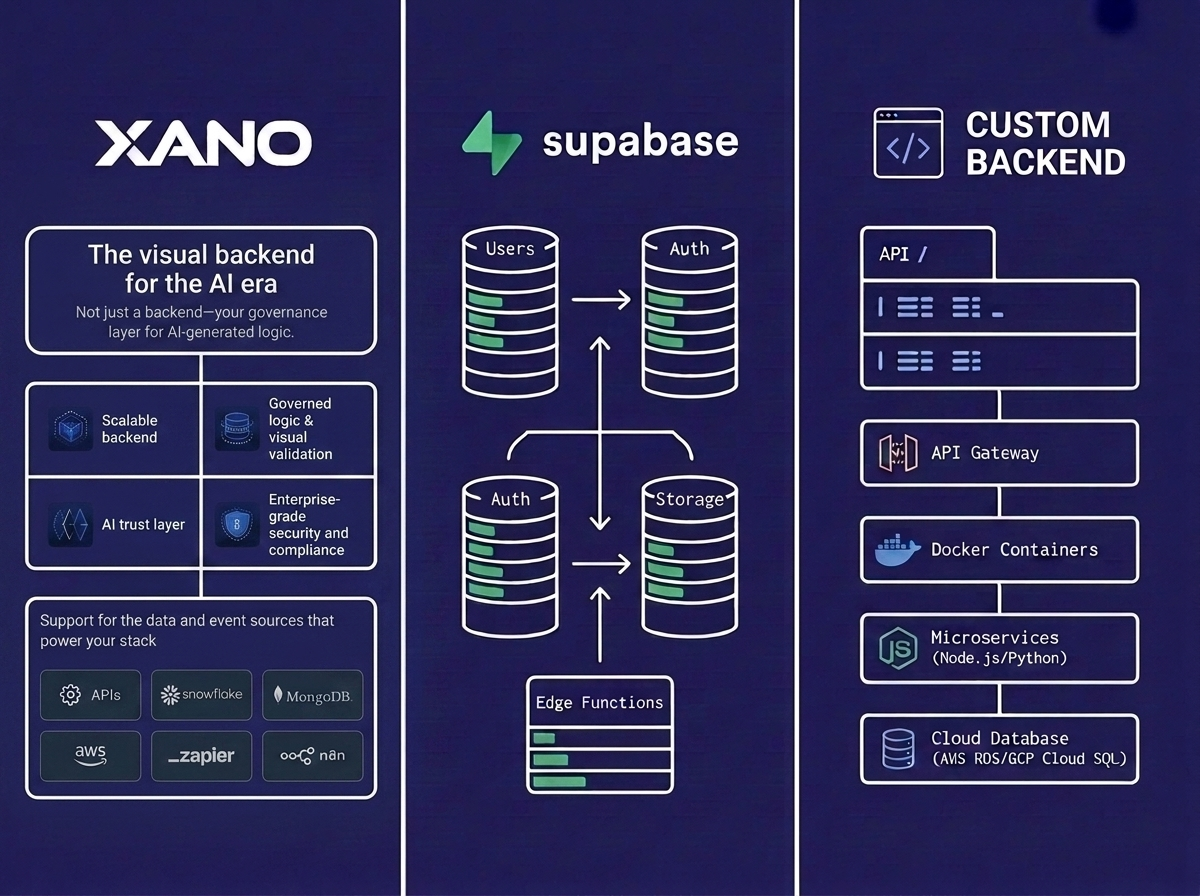
For organisations evaluating Xano against custom backend development, the 2.0 release closes much of the historical gap on customisation.
How Agencies Like Unico Connect Benefit from Xano 2.0
Unico Connect has built numerous production applications on Xano, and 2.0 is a major step forward for agency work. The hybrid no-code-to-pro-code model lets our Xano developers take on more complex client requirements — adding custom logic that previously required workarounds, integrating with systems that needed custom code, and scaling apps further before requiring migration to pure custom development.
For our clients, this means shorter project timelines, and highly customised solutions delivered in-house at no-code speed.
Try Xano yourself: Xano is the production-grade no-code backend we build on. Start building on Xano, or hire a Xano developer to ship it for you.
Frequently Asked Questions
What is new in Xano 2.0?
XanoScript, Canvas View, the AI Logic Assistant, the Xano MCP and VS Code extension, and Git sync with version diff. XanoScript stays in sync with the visual builder, so together these turn Xano into a hybrid no code to pro code platform where teams build visually, in code or with AI.
How does XanoScript in Xano 2.0 help developers?
It removes the no code ceiling. XanoScript is the Xano scripting language that gives developers and AI agents full control at the code level while enforcing standardized logic, and it stays in sync with the visual builder, so complex business logic and transformations no longer stop at what the visual builder alone can express. The visual builder remains available for speed, and XanoScript adds the depth.
Can Xano 2.0 handle enterprise-scale applications?
Yes, on the right plan, because capacity comes from the Xano plan rather than the 2.0 release, whose announcement and release notes list no performance changes. Xano includes dedicated infrastructure, automatic backups, and GDPR, ISO, and SOC 2 and 3 compliance from the Essential plan at $85 per month billed annually. Xano sells the $180 per month CPU and autoscale boost as a Pro add on, and horizontal database scaling is on the Custom plan only, as our guide to Xano costs at scale explains. For larger teams, 2.0 adds XanoScript, a Git style diff to review backend changes before publishing, and Git sync that keeps a versioned copy of the code in GitHub or GitLab.
How does AI assistance work in Xano 2.0?
Through the Logic Assistant, which launched in beta with 2.0. You describe the logic for an API, custom function or background task in plain language, review the plan it proposes, and apply it to generate XanoScript. The result appears in Canvas View or the Function Stack, where you check and edit each step before publishing. Earlier assistants still cover database design, SQL queries and external API requests.
Is Xano 2.0 suitable for startups?
Particularly well-suited. Startups get the speed of no-code for fast MVPs plus the depth of pro-code for differentiated features — without rebuilding when they hit the platform ceiling. The strongest startup backend stack in 2026 often includes Xano 2.0.
How does Xano 2.0 compare to custom backend development?
For most operational and SaaS backends, Xano 2.0 is now competitive on capability, because XanoScript adds code level control to the visual builder. Pure custom backends still win for highly specialised performance requirements (real-time gaming, high-frequency trading, large-scale data processing). For the rest, Xano 2.0 is a strong default.
What's the migration story for Xano 1.x users?
Smooth. Existing Xano apps continue working; 2.0 features are additive. Teams can adopt XanoScript, AI assistance, and other 2.0 capabilities incrementally without rebuilding existing applications.
Conclusion
Xano 2.0 is more than an incremental update — it's a strategic repositioning of the platform. The hybrid no code to pro code model, combined with the AI Logic Assistant, Git sync and IDE tooling, makes Xano a credible choice for enterprise backend applications. To explore how Unico Connect builds production-grade apps on Xano 2.0, see our Xano development services, Xano developer hiring, and no-code development services.