









Computer Use or Build the Integration, How to Choose for AI Agents in 2026

Anurag Kurmi
Senior Full Stack Engineer, Unico Connect
In this article
- Quick Answer
- Key Takeaways
- What Is Computer Use in 2026?
- How Reliable Is Computer Use Now?
- Computer Use vs API Integration
- When Computer Use Is the Right Choice
- When to Build the Integration Instead
- A Hybrid Pattern for Production Agents
- What Drives the Cost of Computer Use
- Safety Controls for Computer Use
- A Quick Decision Guide
- How Unico Connect Helps
- Frequently Asked Questions
- Sources
AI agents can now operate software the way people do, by reading the screen, moving the mouse, and typing. OpenAI supports it in its API, Anthropic ships a computer use toolset for its latest Claude models, and products such as Grok Bot run agents on a hosted cloud computer. That turns a question that used to have an easy answer into a design decision. When an agent has to work with another system, you can let it drive the user interface or you can build a proper integration. Below are the mechanics as they stand in 2026, current reliability figures, the cost drivers, and five questions that help you decide for each workflow. We checked the facts against OpenAI, Anthropic, Google, and Cursor documentation on 22 September 2026, and rechecked the supported models on 17 October 2026.
Quick Answer
Build the API integration when a stable API or CLI exists, the work runs at volume, or it moves money, changes records, or touches sensitive data. Use computer use when no integration route exists, volume is low, and a person approves consequential steps, as with legacy portals, vendor sites, and UI testing. Because computer use is slower, costs more per task and fails more often, many production agents are hybrid. They call APIs first and fall back to computer use only for the gaps.
Key Takeaways
- Computer use is capable but not yet dependable, so budget for failed runs. On OSWorld 2.0 in September 2026, Anthropic reported Claude Fable 5.1 at 77.9 percent with partial credit but 41.7 percent under strict grading.
- Keep high volume work on an API. Anthropic lists latency, coordinate accuracy, and lower reliability on niche or multiple applications among the current limitations of computer use.
- If you build on GPT-6 Astra, OpenAI now recommends operating interfaces by writing code with a library such as Playwright or PyAutoGUI, and keeps its structured computer tool as an alternative.
- Treat screen content as untrusted input. Both OpenAI and Anthropic tell developers to isolate the environment, restrict sites, and have a person confirm consequential actions.
- The best path is often to learn a workflow through computer use, then build an integration to run it once it repeats frequently.
What Is Computer Use in 2026?
Computer use lets a model operate browser and desktop interfaces. The model reads a screenshot, picks the next step and returns actions for your environment to execute. In most APIs you provide and control the environment, whether that is a sandboxed browser, a virtual machine, or a container. The exception is the OpenAI Agents API. OpenAI added computer use to the Agents API on 29 September 2026, so an agent can complete tasks in a browser that OpenAI hosts, while your application asks the user to approve each new website the agent wants to open and handles any sign in.
| Option | How it works | Worth knowing |
|---|---|---|
| OpenAI code execution | The model writes a script using a library such as Playwright or PyAutoGUI, and your sandbox runs it and returns output and screenshots | Recommended for GPT-6 Astra, and one call can combine actions, loops, and conditions |
| OpenAI computer tool | The model returns structured mouse and keyboard actions that your application executes | Supported as an alternative. The older computer-use-preview model shut down on 23 July 2026 |
| Anthropic computer use toolset | One toolset entry gives Claude 17 member tools such as screenshot, left_click, type, and zoom | Supported on Claude Fable 5.1, Mythos 5.1, Fable 5, Mythos 5, Opus 5.5, Opus 5, Sonnet 5.5, Sonnet 5, Opus 4.8, and Haiku 5.5, generally available on the Claude API and Google Cloud |
| Anthropic browser use tool | One browser toolset entry gives Claude 27 member tools by default, such as navigate, read_page, left_click, and screenshot, and it reads page structure through the accessibility tree as well as screenshots | Anthropic calls it the closer fit for tasks that stay inside web pages. Generally available on the Claude API and Google Cloud only |
| Google Gemini computer use | The computer_use tool returns UI actions such as clicks and typing from screenshots, and your client executes them | Google recommends Gemini 3.8 Flash for computer use, and Gemini 4 Argon also supports it. Gemini 3.x models support browser, mobile, and desktop environments, each action carries an intent field that explains the step, and screenshot scanning for hidden instructions is opt in |
| Grok Bot | All of your Bots share one persistent cloud computer with a browser, file system, and terminal, and each Bot gets its own screen on it | A product rather than an API, hosted by Cursor. Bots use plugins where available and computer use for everything else |
Regulated teams should note two details about computer use in the Anthropic API. It is a client side tool, so screenshots and actions are stored in your environment and the feature is eligible for Zero Data Retention, with some model specific exceptions. It is also not currently available in Claude Managed Agents.
How Reliable Is Computer Use Now?
Benchmark results depend heavily on how strictly a task is graded. In September 2026 Anthropic and OpenAI both reported computer use results on OSWorld 2.0, but on different task sets and settings, so compare rows only within the same announcement.
| Model | OSWorld 2.0 result | Source |
|---|---|---|
| Claude Opus 5.5 | 81.8% partial credit, no strict score in the announcement | Anthropic, Opus 5.5 announcement |
| Claude Fable 5.1 | 77.9% partial credit, 41.7% strict | Anthropic, Fable 5.1 announcement |
| Claude Opus 5 | 75.4% partial credit, 39.6% strict | Anthropic, Fable 5.1 announcement |
| Claude Fable 5 | 72.9% partial credit, 36.1% strict | Anthropic, Fable 5.1 announcement |
| GPT-6 Astra | 72.6% partial credit, offline set | OpenAI, GPT-6 Astra announcement |
| Claude Opus 5 | 70.2% partial credit, offline set, official settings | OpenAI, GPT-6 Astra announcement |
| GPT-5.6 Sol | 65.7% partial credit, offline set | OpenAI, GPT-6 Astra announcement |
Plan with the strict scores. Under strict grading the best model Anthropic reported passes about four tasks in ten, and production screens are usually messier than a benchmark. Speed is the other limit. In OpenAI latency simulations on OSWorld 2.0, GPT-6 Astra took roughly 40 minutes per task and GPT-5.6 Sol roughly 75 minutes.
Anthropic lists the limitations developers should plan around, including latency that may be too slow compared with a person, mistakes when outputting screen coordinates, lower reliability with niche applications or several applications at once, unreliable scrolling in some applications, and spreadsheet selection that can take several attempts. Its advice is to focus on uses where speed is not critical, such as background information gathering and automated testing, and not to use it for tasks needing perfect precision or sensitive information without human oversight.
Computer Use vs API Integration
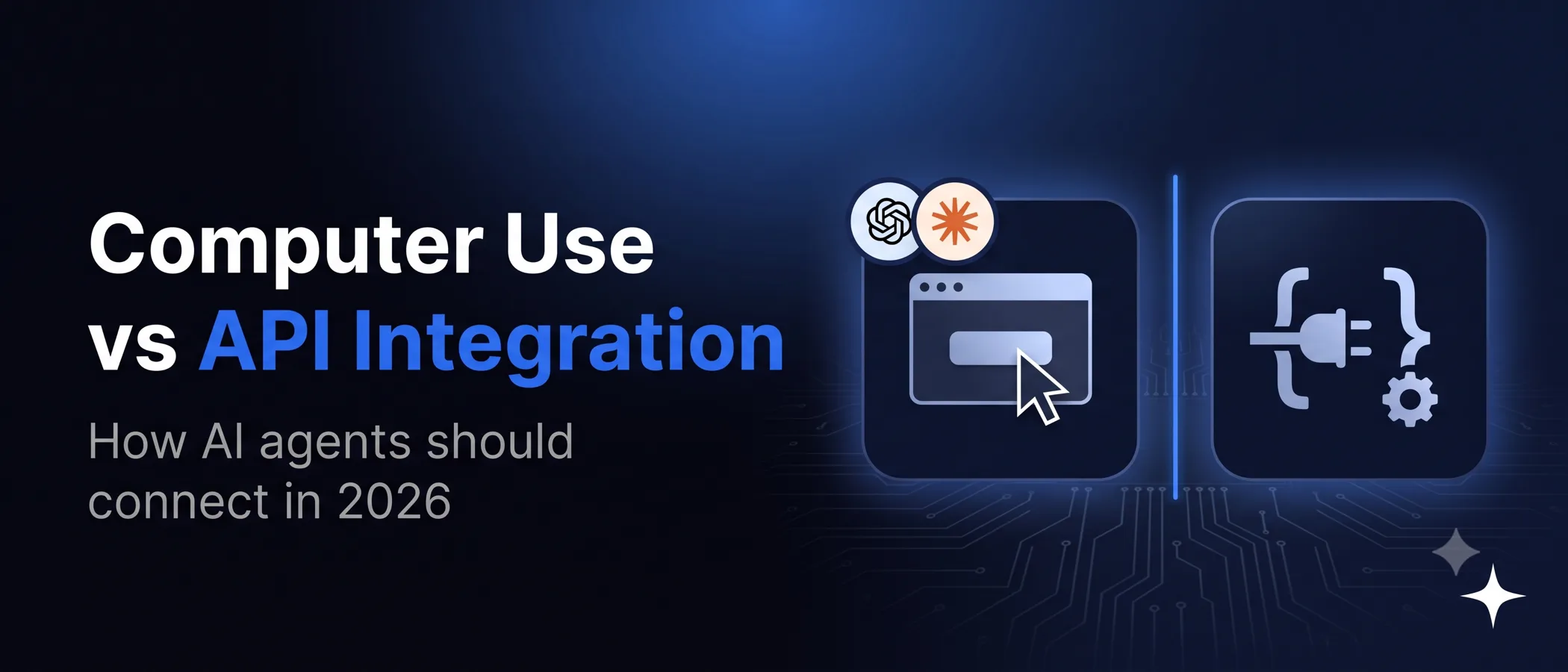
An API integration wins on speed, cost per task, reliability and auditability. Computer use earns its place where no API exists, and it gets you a first result sooner because nothing has to be built.
| Factor | Computer use | API integration |
|---|---|---|
| Works without an API | Yes, anything a person can see and click | No, needs an API, CLI, or database access |
| Time to first result | Faster to start, since no integration has to be built first | Slower to start, because the integration must be built and tested |
| Speed per task | Slower, with a screenshot and action cycle for each small group of steps | Fast, one call per operation |
| Cost per task | Higher, since screenshots are billed as image input on every step | Lower, small structured payloads |
| Reliability at volume | Lower, varies with layout and application | High and predictable |
| Breaks when | The screen layout, wording, or flow changes | The API version or contract changes |
| Security exposure | Page content can carry injected instructions | Structured data with defined permissions |
| Auditability | Screenshots and action logs | Structured request and response logs |
When Computer Use Is the Right Choice
- No API exists. Legacy desktop software, vendor portals, and government or insurer websites often have no integration route.
- Volume is low. A task that runs only occasionally rarely justifies building and maintaining an integration.
- You are still learning the workflow. Letting an agent do the task through the interface shows which steps, fields, and exceptions matter before you invest in an integration.
- You are testing user flows, since exercising an interface the way a user would is what computer use does well.
- The job is occasional research or data gathering in the background, where speed does not matter and a person reviews the result.
When to Build the Integration Instead
- The task runs thousands of times, or it sits in a user facing path where latency is tight.
- The task moves money or changes records or permissions. Payments, refunds, account changes, and access grants need deterministic, logged API calls.
- The workflow touches sensitive data. Credentials, health data, and financial data should not flow through screenshots.
- A stable API or CLI already exists. Thoughtworks notes that a well designed CLI with structured JSON output often gives agents everything they need, and that MCP adds value when you need governed, authenticated tool contracts.
- The process must be audited, and structured calls are far easier to reconcile than screenshots.
A Hybrid Pattern for Production Agents
- Use APIs wherever they exist. Give the agent typed tools for every system with an API, CLI, or database.
- Fill gaps with computer use. Reserve screen operation for the steps with no integration route. Grok Bot applies the same rule, since Cursor documents that Bots use plugins where available and computer use for everything else.
- Confirm consequential actions. Route purchases, data transmission, destructive changes, and agreements to a person, as both OpenAI and Anthropic advise.
- Watch which screen paths repeat. Log every computer use run and count how often each path is used.
- Promote frequent paths to integrations. When a screen path runs often, replace it with an API call or a scripted automation. With OpenAI code execution the agent already writes Playwright or PyAutoGUI scripts, which can become a starting point for that automation.
What Drives the Cost of Computer Use
No provider publishes a price per computer use task, because cost depends on how many steps a task takes. The same five drivers apply to every provider.
- Screenshots. Anthropic puts each screenshot at roughly 1,000 to 1,800 input tokens, and every screenshot and zoom image is billed as image input, so the bill climbs fast in a long loop. Its default for long loops is to keep the last three screenshots and prune in batches every 25 turns so prompt caching keeps working, while on Claude Fable 5.1, Claude Opus 5.5, Claude Sonnet 5.5, and Claude Haiku 5.5 it advises server side tool result clearing instead of pruning on the client.
- Steps. Each observe and act cycle is a model call, so a task that takes forty steps costs far more than one that takes five.
- Retries. Mistakes and failed actions add steps. With the earlier
computer_20251124tool, Anthropic internal benchmarking found that low effort on Claude Sonnet 4.6 and Claude Opus 4.6 used fewer output tokens than turning thinking off, because fewer mistakes meant fewer retries. Test effort levels on your own tasks, since Anthropic publishes this finding only for those earlier models. - Tool overhead. In the Anthropic API, declaring the current
computer_toolset_20260801adds about 4,500 input tokens to each request, and turning off zoom removes about 410 of them. The earliercomputer_20251124andcomputer_20250124versions add 466 to 499 system prompt tokens plus about 735 input tokens for the tool definition. - Environment. The virtual machine or sandbox that runs the actions has its own compute cost.
Cost per task = steps × tokens per step (including screenshots and tool overhead) × model price + environment cost
Measure it on real tasks before you commit to volume.
Safety Controls for Computer Use
- Isolate the environment. Use a dedicated virtual machine, container, or isolated browser with minimal privileges.
- Keep secrets out. Avoid giving the model account credentials or other sensitive data.
- Allowlist sites and actions. Limit internet access to the domains the task needs.
- Treat the screen as untrusted. Text on a page or in an image cannot grant permission or override instructions. Anthropic also runs classifiers that scan screenshots for likely prompt injection and steer the model to check with the user.
- Confirm consequential actions. Keep a person in control of purchases, data transmission, destructive changes, and agreements. OpenAI notes that typing sensitive information into a form counts as transmission.
- Plan the fallback. Sites can block automation, expire a session, or require a human step, and accepting cookies or terms of service needs the user to consent. Route those moments, plus timeouts and unexpected screens, to a person or a queue instead of letting the agent keep clicking.
- Bound and verify every run. Set step, time, or cost limits, support cancellation, and check the real outcome rather than trusting the final message.
Our post on AI agent security and prompt injection goes deeper into injection risks and the controls that contain them.
A Quick Decision Guide
Ask these five questions about each workflow before you choose an approach.
| Question | If yes |
|---|---|
| Is there a stable API, CLI, or database route? | Build the integration |
| Will it run often enough that per run cost and failure rates add up? | Build the integration |
| Does it move money, change records, or touch sensitive data? | Build the integration, or keep computer use behind human approval |
| Is this a legacy or vendor system with no integration route? | Use computer use, with approvals for consequential steps |
| Are you still discovering how the workflow really works? | Start with computer use, then promote frequent paths |
How Unico Connect Helps
We build AI agents that combine typed integrations with computer use where no other route exists, and we design the isolation, approvals, and logging that make that safe. Our agentic AI development team can assess which of your workflows belong on an API and which can run through the interface. Our AI integration services build the integrations themselves, and the AI powered QA and test automation team works with Playwright, one of the libraries OpenAI names for code execution computer use. We have also written about Grok Bot and agentic chat teams, MCP in production, and what breaks when AI agents run in production. When you have a workflow to scope, talk to our team.
Frequently Asked Questions
What is computer use in AI?
Computer use is a capability that lets an AI model operate browser and desktop interfaces by reading screenshots and returning mouse and keyboard actions, or by writing scripts that drive the interface. In most APIs your application provides and controls the environment where those actions run, and the OpenAI Agents API can instead run them in a browser that OpenAI hosts.
Is computer use better than an API integration?
Not usually. Where an API exists, the integration is faster, cheaper per task, more reliable, and easier to audit. Computer use wins when no API exists, volume is low, or you are still learning the workflow.
How is computer use different from RPA?
RPA tools replay predefined steps against stored UI selectors, so they stop working when a window name or element structure changes, as Microsoft documents for Power Automate desktop flows. Computer use decides each step from the current screenshot instead of a stored selector, so it can handle screens it was never scripted for, but every observe and act cycle is a model call, which makes it slower and less predictable. Use RPA for stable, rule based screens, computer use for variable ones, and an API integration over both whenever one exists.
How accurate is AI computer use in 2026?
On OSWorld 2.0, a benchmark of real computer tasks, Anthropic reported Claude Fable 5.1 at 77.9 percent with partial credit and 41.7 percent under strict grading in September 2026, and OpenAI reported GPT-6 Astra at 72.6 percent partial credit on the offline set. The two labs used different task sets, so the figures are not directly comparable. Both still advise a person to confirm consequential actions.
Which models support computer use?
In the Anthropic API, the computer_toolset_20260801 toolset supports Claude Fable 5.1, Mythos 5.1, Fable 5, Mythos 5, Opus 5.5, Opus 5, Sonnet 5.5, Sonnet 5, Opus 4.8, and Haiku 5.5. OpenAI supports computer use through code execution, which it recommends for GPT-6 Astra, and through its computer tool on supported models. Google offers a computer_use tool in the Gemini API on Gemini 4 Argon, Gemini 3.8 Flash, Gemini 3.5 Flash-Lite, and Gemini 3 Flash Preview, recommends Gemini 3.8 Flash for it, and supports browser, mobile, and desktop environments on Gemini 3.x models.
Is AI computer use safe for business systems?
It can be, with controls. Both OpenAI and Anthropic recommend an isolated environment with minimal privileges, an allowlist of sites, keeping sensitive data out, treating screen content as untrusted, and human confirmation for consequential actions.
How much does computer use cost?
There is no published price per task. Cost depends on the number of steps, retries, the environment running the actions, and the screenshots sent on each step, which are billed as image input. To estimate it, measure steps and tokens on real tasks.
When should an agent use a browser tool instead of full computer use?
When the task stays inside web pages. Anthropic describes its browser use tool as the closer fit for web only tasks, because it works through the page structure, including the accessibility tree, as well as screenshots, and does not need a full desktop. If the agent only needs to read pages, Anthropic points to its web fetch tool instead.
Should an agent use MCP or computer use?
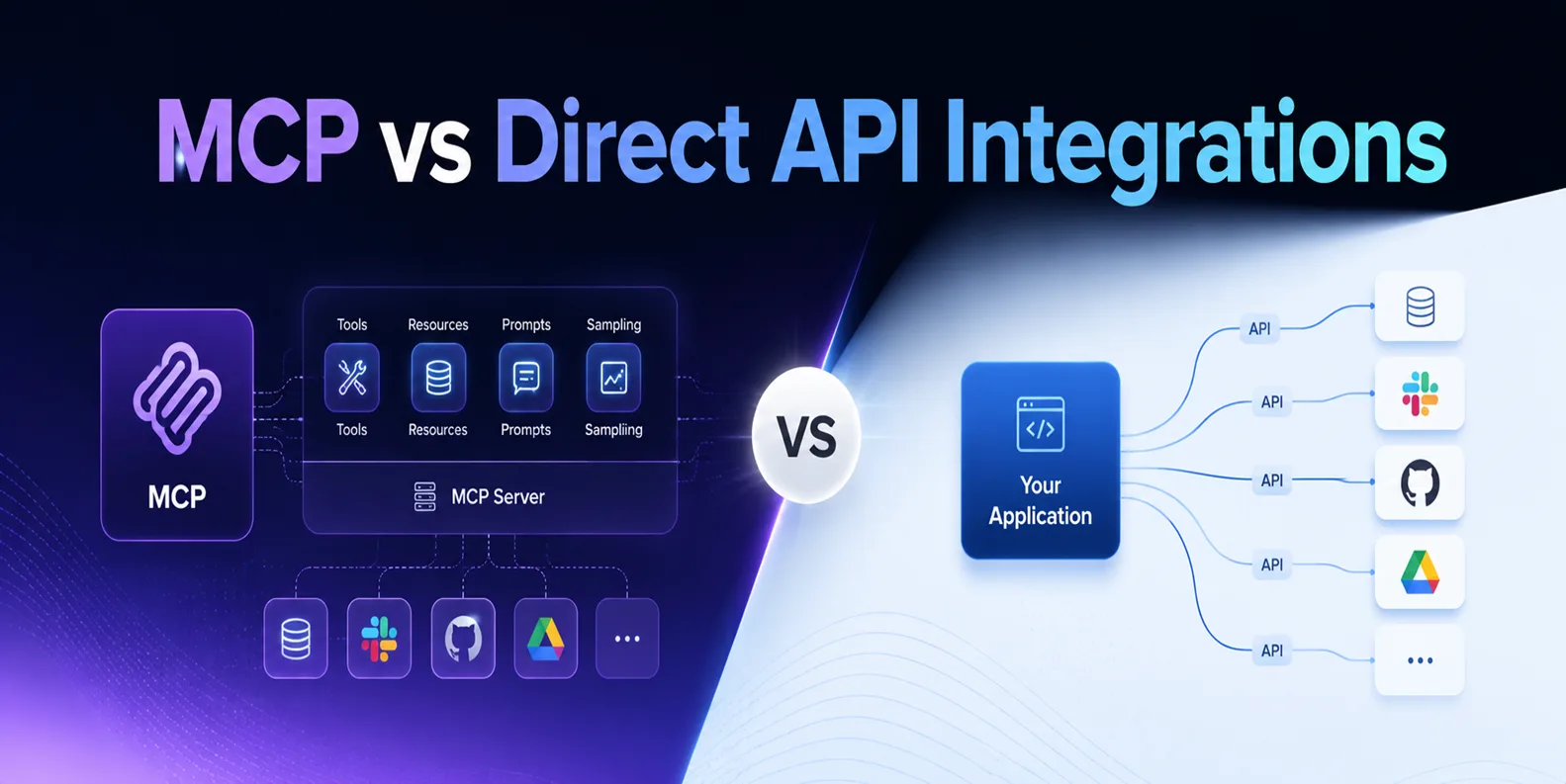
Use MCP or direct function calls whenever the system offers an API, because they give the agent typed tools with defined permissions, and keep computer use for screens with no integration route. OpenAI notes that teams already exposing UI operations through function calling or remote MCP tools can keep that interface, and Thoughtworks cautions against adopting MCP by default when a well designed CLI would do. We weigh the two in more depth in MCP vs direct API integrations.
Sources
OpenAI guidance comes from the OpenAI computer use guide, and Anthropic details, limitations, costs, and security precautions from the Anthropic computer use tool documentation and the Anthropic browser use tool documentation. Google details come from the Gemini API computer use documentation, and Grok Bot details from the Cursor Grok Bot documentation. OSWorld 2.0 figures come from the Claude Fable 5.1 and Mythos 5.1 announcement, the Claude Opus 5.5 announcement, and the GPT-6 Astra announcement, and earlier OSWorld Verified results for Claude Fable 5 are in our Claude Fable 5 and Mythos 5 guide. The RPA selector point comes from Microsoft Learn guidance on Power Automate UI automation errors. The CLI and MCP point comes from the Thoughtworks Technology Radar entry on MCP by default. All were read on 22 September 2026, except the Opus 5.5 announcement, read on 26 September 2026, and the supported model lists in the Anthropic and Gemini computer use documentation, rechecked on 17 October 2026.