










Is Supabase Production Ready in 2026?

Vasim Gujrati
Solutions Architect, AI & Platforms, Unico Connect
In this article
Supabase is a hosted Postgres database with authentication, storage, realtime, and edge functions wrapped around it. Plenty of real companies run on it at scale, which settles whether it works. What you need to know is whether it fits your workload, and where the walls are, so you meet them on purpose instead of during an incident. The limits below come from what Supabase itself publishes.
Quick Answer
Yes, Supabase is production ready for most web and mobile applications, and companies have taken it from zero to over a million users. It is standard Postgres underneath, it holds SOC 2 Type 2, HIPAA, and ISO/IEC 27001:2022 compliance, and it offers point in time recovery, read replicas, and log drains on paid plans. The limits that matter are specific. Compute sizes on the Supabase price list stop at 64 cores, anything larger is a custom size you request from Supabase, and extreme write throughput has no managed sharding answer yet. Read replicas scale reads only, not writes, and there is no multi region write option. The most common production surprises are the two email per hour auth limit on the built in mailer, connection exhaustion without the pooler, and egress bills on media heavy apps. An uptime service level agreement exists only on the Enterprise plan. For the large majority of products none of these are blockers, and the ones that do bite usually get fixed in place without a migration. At Unico Connect we use the same assessment when we choose or rescue a backend for a client build.
Key Takeaways
- Supabase is production grade Postgres with SOC 2 Type 2, HIPAA on the Team plan and above, ISO/IEC 27001:2022 since 2026, point in time recovery, and read replicas, so confirm which plan carries the feature you need.
- Check your write pattern before you commit. Compute on the price list tops out at 64 cores and 256 GB, read replicas serve reads only, and there is no multi region write today, so plan ahead if your product is write heavy or needs writes in several regions.
- Look at your own setup before you blame the platform, because most scaling pain is self inflicted. Connection exhaustion, slow row level security, and rate limited auth emails all have known fixes that do not involve leaving.
- Move production off the free plan and budget for egress. Free projects pause after a week of inactivity, and media heavy apps pay for bandwidth.
- Indexes, the connection pooler, custom email, and a CDN in front of storage solve the common problems for a fraction of the cost of a rebuild, so try them before you plan a migration.
Who Actually Runs Supabase in Production
The best evidence that Supabase holds up is the companies that depend on it. Supabase publishes customer stories with numbers behind them, such as Pebblely reaching a million users in seven months and Mobbin migrating two hundred thousand users off Firebase. Humata scaled to millions of users and cut its vector database cost along the way. Supabase also reports that a dozen companies went from zero to more than a million users on the platform inside a single year, and its enterprise logos include Mozilla, PwC, and 1Password. A platform with that record does not fall over at the first sign of traffic, but it does have a shape, and you should know that shape before you build on it.
What Does Production Ready Actually Require
Production readiness means recovery, observability, compliance, and a support commitment, and Supabase documents where it stands on each.
Recovery is covered by point in time recovery, available as an add on for Pro plans and above, which archives the write ahead log every two minutes so your worst case data loss window is around two minutes. It needs at least the Small compute size, and turning it on replaces the default daily backups. Observability comes through log drains on paid plans, which ship your logs to destinations like Datadog, Sentry, S3, and others. Compliance is strong, with SOC 2 Type 2, HIPAA available on the Team plan and above with a signed business associate agreement, and ISO/IEC 27001:2022 certification added in 2026.
The one place to read the fine print is the service level agreement. A committed uptime guarantee, the 99.9 percent number, exists only on the Enterprise plan. The Team plan gives you support response time commitments but no uptime promise, and Pro has email support with neither, so if your business needs a contractual uptime figure, plan for Enterprise.
Where Are the Real Scaling Limits
Each wall below comes with numbers that Supabase publishes.
The Vertical Ceiling
The largest compute size on the Supabase price list is 16XL, which is 64 cores and 256 GB of memory, and anything bigger is a custom size you request from Supabase. Most applications never get close to a machine that large, but a single machine is still a ceiling, and past it there is no managed sharding. Supabase is building Multigres, a sharding layer for Postgres, and released an early alpha in 2026, though you cannot yet turn it on as a managed feature. A workload with extreme sustained write throughput that would outgrow the biggest single machine therefore has no Supabase native answer today. That is the clearest case for looking elsewhere, and very few products fall into it.
Reads Scale, Writes Do Not
Read replicas are available on paid plans, up to two below the XL compute size and up to five at XL and above. They are asynchronous copies that serve read only traffic, and they can sit in other regions to cut latency for a global audience. The caveat is that they scale reads only. Writes still go to a single primary, and Auth, Storage, and Realtime cannot use replicas at all. The platform also has no multi region write setup. Replicas are a strong scaling lever for read heavy apps, but they are not the answer for write heavy or write distributed apps.
Connections Are Finite and the Pooler Is the Fix
Every compute size has a hard cap on direct database connections, from 60 on the smaller instances up to around 500 at the very top. Serverless and edge environments open connections fast and can burn through that budget quickly. The fix ships with the platform. Supabase runs a connection pooler called Supavisor, and paid plans also get a dedicated pooler beside the database, with pooled client connections running far higher than direct ones, into the thousands on larger instances. Connection exhaustion is one of the most common production complaints and one of the easiest to avoid, since routing traffic through the pooler is a configuration choice.
Row Level Security Has a Performance Cost You Can Remove
Row level security is evaluated for every row a query touches, and a naive policy re evaluates the auth function once per row. Supabase documents the fix, and the gain is large. Wrapping the auth call so it reads as a subquery lets Postgres evaluate it once per statement instead of once per row, and adding an index on the column your policy filters shows more than a hundred times improvement on large tables in the community benchmark Supabase publishes in its docs. When queries slow down under heavy row level security, the cause is almost always a policy that was never optimized, and you can fix it and keep the model.
What Are the Surprise Bills and Footguns
Some of the sharpest production lessons have more to do with cost and defaults than with raw scale.
The free tier pauses a project after one week of inactivity. That is fine for experiments but a problem if a low traffic production app sits on the free plan, because a paused project stays offline until someone restores it from the Supabase dashboard. Production apps belong on a paid plan where projects do not pause.
The built in email service sends only two emails per hour. The limit is deliberate, set to stop abuse of the shared mailer, and it is the most common auth footgun there is. Any real app must connect a custom SMTP provider, after which the limit is yours to set. Most of the Supabase rate limiting people run into sits on the auth endpoints rather than the data API.
Egress is the bill that surprises media heavy apps. Bandwidth past the included allowance is charged per gigabyte, and an app serving lots of images or video can run up a real number. The fix is a content delivery network in front of storage, which turns most of that traffic into cheaper cached egress. Edge functions have limits worth knowing before you lean on them. They cap at 256 MB of memory and a couple of seconds of CPU time, which suits quick request handling but not long running jobs or heavy image processing.
One recent change works in your favor. Since the middle of 2026, new tables in the public schema of new projects are no longer automatically exposed through the data API, and Supabase scheduled existing projects to switch to the same default from October 30, 2026. Access has to be granted explicitly, which closes a class of accidental exposure that used to catch teams by surprise. If security is on your mind, work through our Supabase RLS security checklist alongside this post.
Should You Fix in Place or Migrate Off
When a Supabase app struggles, migrating is rarely the first right move. Supabase publishes its own guidance here, and it lines up with what we see in practice. Run explain analyze and add indexes before you buy a bigger machine, and move to the connection pooler before you blame connection limits. The two per hour cap stops being a fight once you connect custom email. Put a content delivery network in front of storage before you worry about egress. Tune your row level security policies before you conclude the database is slow. All of these cost less than a rebuild, and they are usually enough.
Migrating off makes sense in a narrower set of cases.
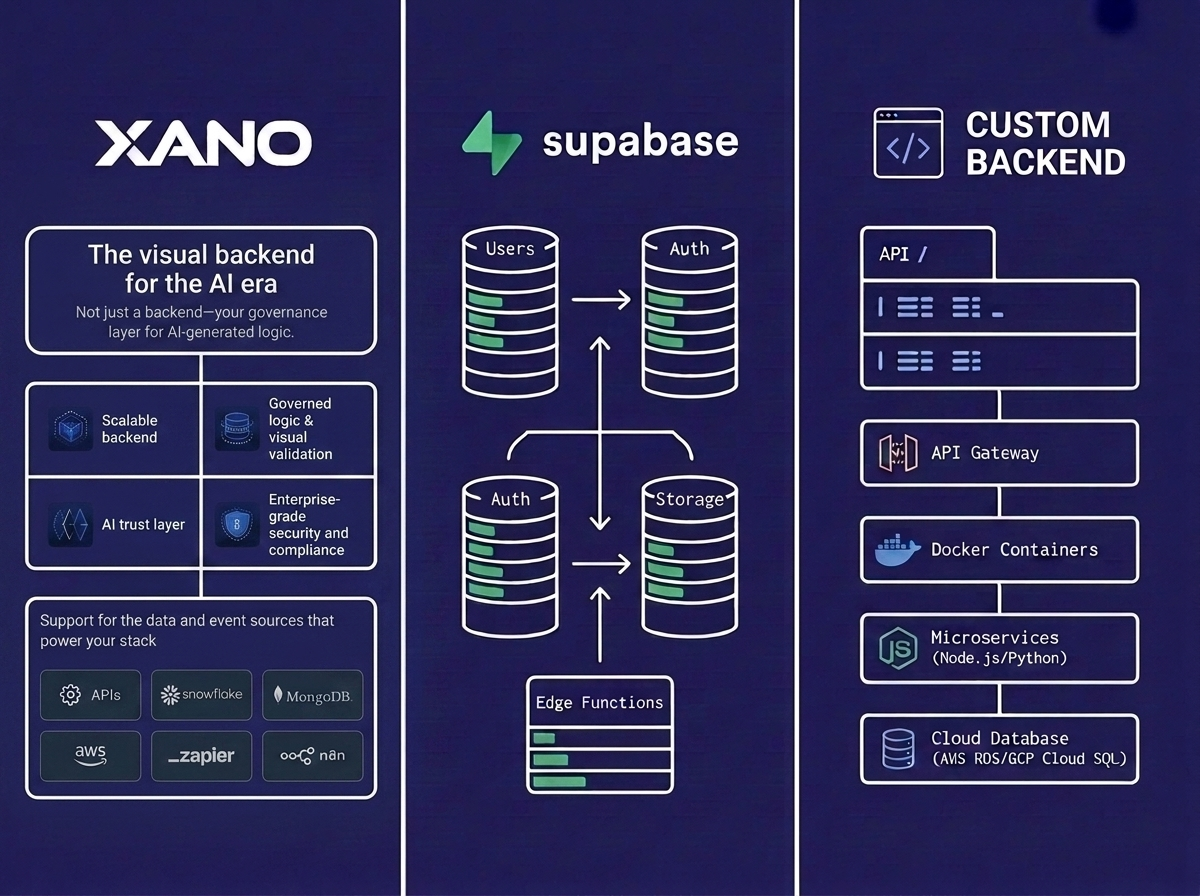
The first is when you need more control over the code and the runtime. On the managed platform your server side logic runs inside Supabase edge functions, which are Deno based and deliberately constrained. They handle quick requests and webhooks well, but they limit you the moment you want a different language, a long lived process, background workers, or libraries the runtime does not allow. Moving that logic to a backend you own, on your own infrastructure, trades convenience for full control over how the code runs.
Some workloads do not fit edge functions at all, and the limits here are specific. An edge function gets two seconds of CPU time per request and at most 256 MB of memory, so anything heavy struggles. Image and video processing is the clearest example, and Supabase itself advises pushing that kind of work to a dedicated service instead of running it in a function. Long running jobs, large batch processing, and CPU bound computation belong on a purpose built worker too.
At high scale, cost and speed can tip the decision. A managed platform carries a margin over raw infrastructure, and egress in particular is priced per gigabyte. For a high traffic or media heavy product, running your own Postgres and moving compute onto infrastructure you tune directly can lower the bill and cut latency, because you control instance sizing, caching, and where each piece of the workload runs. Below real scale this rarely pays off, since managed convenience is worth more than the savings, but past that point the math can flip.
You may also have outgrown the platform ceiling. Sustained write throughput that approaches the top compute size with no sign of slowing, combined with a need for sharding the managed platform does not yet offer, is a real reason to move, and so is a requirement for multi region writes, which the platform does not support. A well known engineering team also wrote years ago about a product that used Postgres as a plain persistence layer and none of the Auth, Realtime, or Storage features. That account is dated now, and several of its specific complaints predate current backup and recovery features, but the logic holds, because a team that uses none of what makes Supabase Supabase may not need Supabase.
Whatever you decide, Supabase is standard Postgres, so a clean exit through a database dump is always available, and that escape hatch is part of why it counts as production ready.
How We Decide With Clients
When a team asks Unico Connect whether to stay on Supabase or move, we answer from the workload. We profile it, read the slow queries, check the connection and pooler setup, look at where the cost is going, and measure the row level security overhead. Most of the time the app is production ready and the pain comes from a handful of fixable configuration choices. In the few cases where the workload does exceed what the platform offers, we plan a migration that keeps the Postgres data intact and avoids a rewrite. If you have built on Supabase and hit a wall, our MVP build and rescue service includes a free architecture and security review. It covers 1 to 2 business days of work from our team, and we share the initial findings with you. If you need a deeper audit, it is paid, and its scope depends on the scale of the project. You can also hire a Supabase developer from our team to do the work.
Frequently Asked Questions
Is Supabase good enough for a production app?
For most web and mobile applications, yes. It is managed Postgres with authentication, storage, and realtime, it carries SOC 2 Type 2, HIPAA, and ISO/IEC 27001:2022 compliance, and companies have scaled it past a million users. The limits that matter are specific, mainly around extreme write throughput and multi region writes, and in the production work Unico Connect sees, most products never hit them.
What are the main Supabase scaling limits?
The main limits are a compute ceiling of 64 cores and 256 GB on the price list, with larger sizes only as a custom request and no managed sharding yet, and read replicas that help with reads only. There is no multi region write option either. Each compute size caps direct database connections, though the built in pooler raises the usable number substantially.
Why is Supabase only sending two emails per hour?
That is the rate limit on the built in shared email service, and it is intentional. Production apps are expected to connect their own SMTP provider, after which you control the sending limits. It is the most common auth issue teams hit, and the fix is a configuration change.
Does Supabase have an uptime SLA?
A committed uptime service level agreement, the 99.9 percent figure, is available only on the Enterprise plan. The Team plan includes support response time commitments but no contractual uptime guarantee, and the Pro plan has neither.
When should I migrate off Supabase instead of fixing it?
Migrate when your workload outgrows the platform, such as sustained write throughput beyond the largest compute size with a need for sharding, or a requirement for multi region writes. Also consider it if you use Postgres purely as a persistence layer and none of the Auth, Realtime, or Storage features. In most other cases, indexing, pooling, custom email, and a CDN solve the problem in place.
Can Supabase handle high traffic?
Yes for read heavy traffic, which scales well with larger compute and read replicas, including across regions. Write heavy traffic is bounded by the single primary and the top compute size, since there is no managed sharding yet, so work out which kind of traffic your app has before you decide.