.svg)
AI Automation for Teams — From Tools to Working Workflows
Your team has access to AI tools. They are probably using 10% of what is possible. We build the workflows, integrations, and training that turn AI tools into measurable productivity gains across engineering, operations, and customer-facing teams.







We Did This for Ourselves Before Offering It to You
The distance between owning AI tools and using them effectively is vast. Most teams miss the productivity multiplier: structured workflows that turn AI into a reliable system.
Ad-Hoc AI Usage

Each team member uses AI tools differently. No shared patterns. What works for one person stays with that person.
Copy-paste prompts from the internet. No project-specific context. No quality guardrails. Output quality varies wildly.
Same task produces different results depending on who runs it. No way to ensure quality or compare outputs across the team.
No tracking of what works, what does not, or how much time AI actually saves. 'AI adoption' is a feeling, not a metric.
New AI tools adopted and abandoned every month. No commitment to mastering any single workflow. Constant churn, no compounding benefit.

Structured AI Workflows (How We Operate)
Every AI workflow is documented, tested, and shared. Project-specific configurations ensure consistent quality across the team.
Claude Code and Cursor with project-specific rules. Code generation, review, testing, and debugging — structured workflows, not ad-hoc prompts.
Call preparation, prospect research, outreach drafting, and competitive intelligence — each a repeatable workflow, not a one-off prompt.
Status reports, client communications, and knowledge management automated with AI workflows. Reduced manual overhead, consistent quality.
Track what works and what does not. Workflows evolve based on actual results, not assumptions about what AI should be good at.
What We Deliver

AI Development Workflow Implementation
Set up Claude Code, Cursor, and GitHub Copilot for your engineering team with project-specific configurations and structured workflows.

Custom AI Workflow Design
Identify high-impact automation opportunities and build working workflows for sales, operations, documentation, and reporting.

Team AI Enablement
Hands-on training structured around your actual work. Engineers learn on their codebase. Sales teams learn with their pipeline data.

AI Tool Evaluation & Selection
Assess which AI tools fit your team's use cases. Benchmark options, run pilots, recommend based on performance with your data.

Internal AI Agent Development
Custom agents for your team: meeting summarizers, documentation generators, knowledge base assistants, reporting automation.

AI Governance & Best Practices
Guidelines for responsible AI use: data handling policies, quality review processes, human oversight, and cost management frameworks.
Technology Stack















Our Work

 Internal team
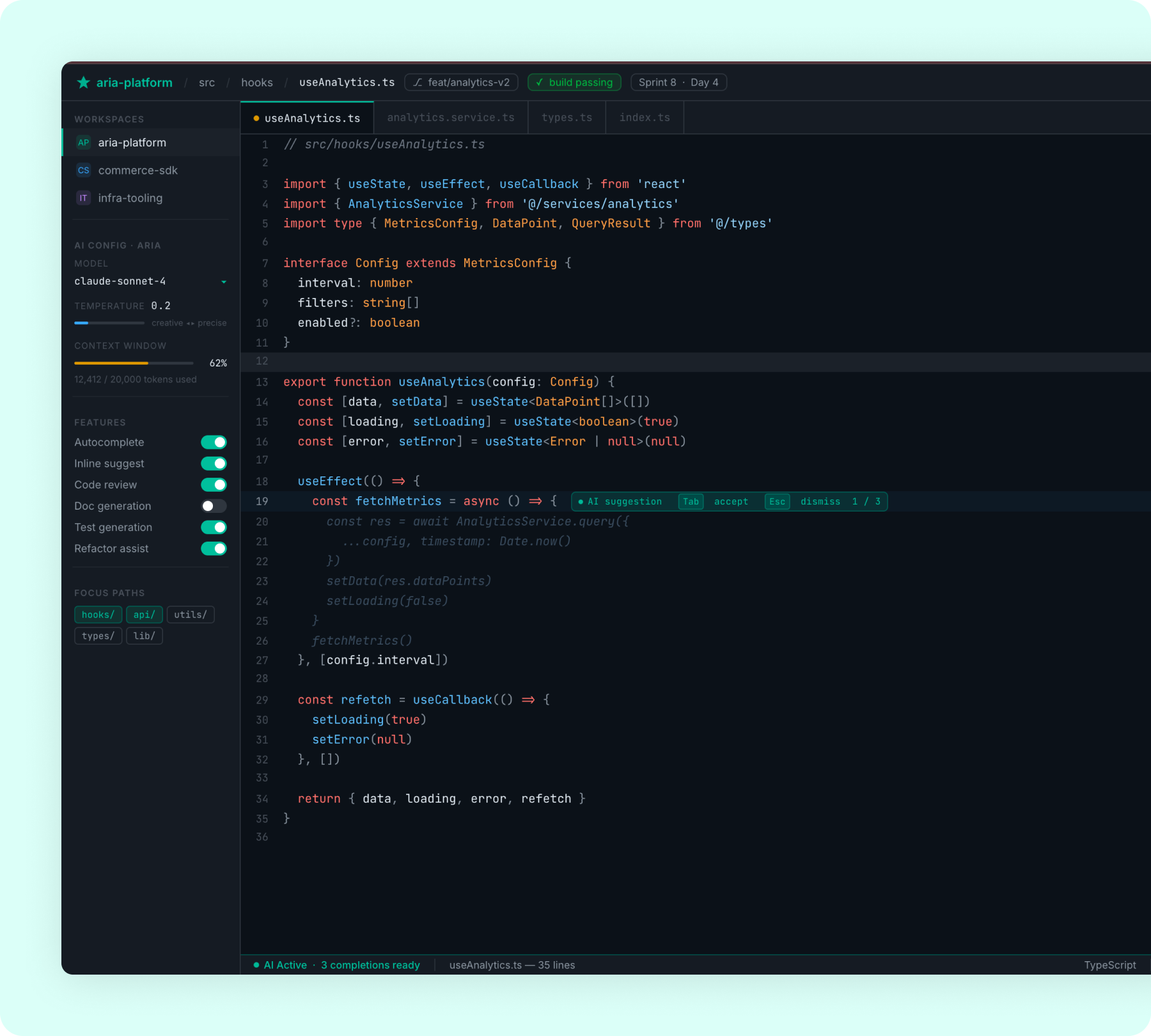
Achieved ~80% AI-generated code with 30% faster sprint delivery
 Deployed Claude Code and Cursor across the engineering team
for daily development workflows
AI assists with code generation, code reviews, test writing,
and debugging tasks
Created project-specific AI configurations and prompt templates
for consistent output quality
Established structured workflows with human review gates for
production-critical code
Deployed Claude Code and Cursor across the engineering team
for daily development workflows
AI assists with code generation, code reviews, test writing,
and debugging tasks
Created project-specific AI configurations and prompt templates
for consistent output quality
Established structured workflows with human review gates for
production-critical code
~80%
AI-Generated Code
30%
Faster Sprint Delivery
25%
Fewer Post-Deploy Bugs
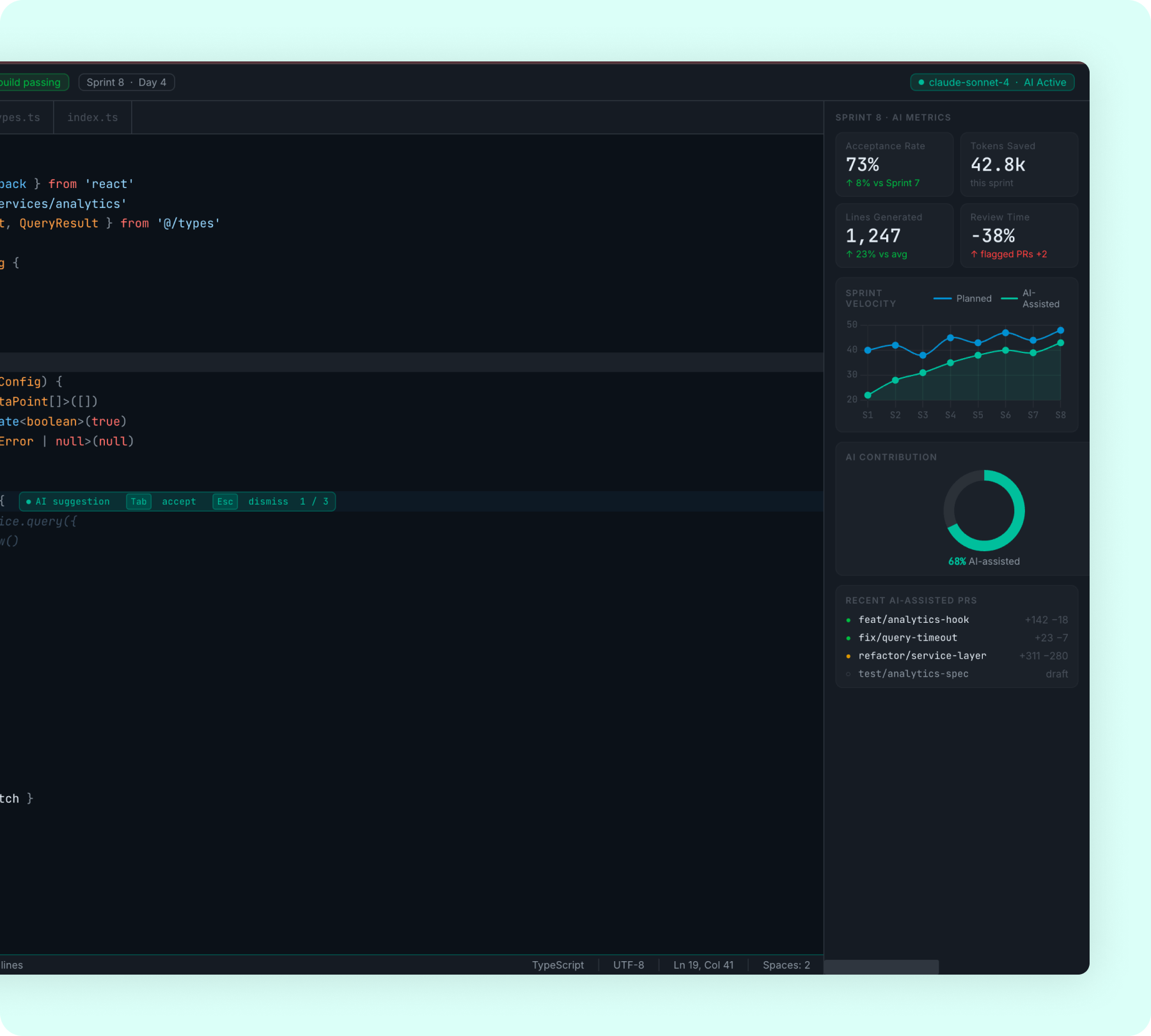
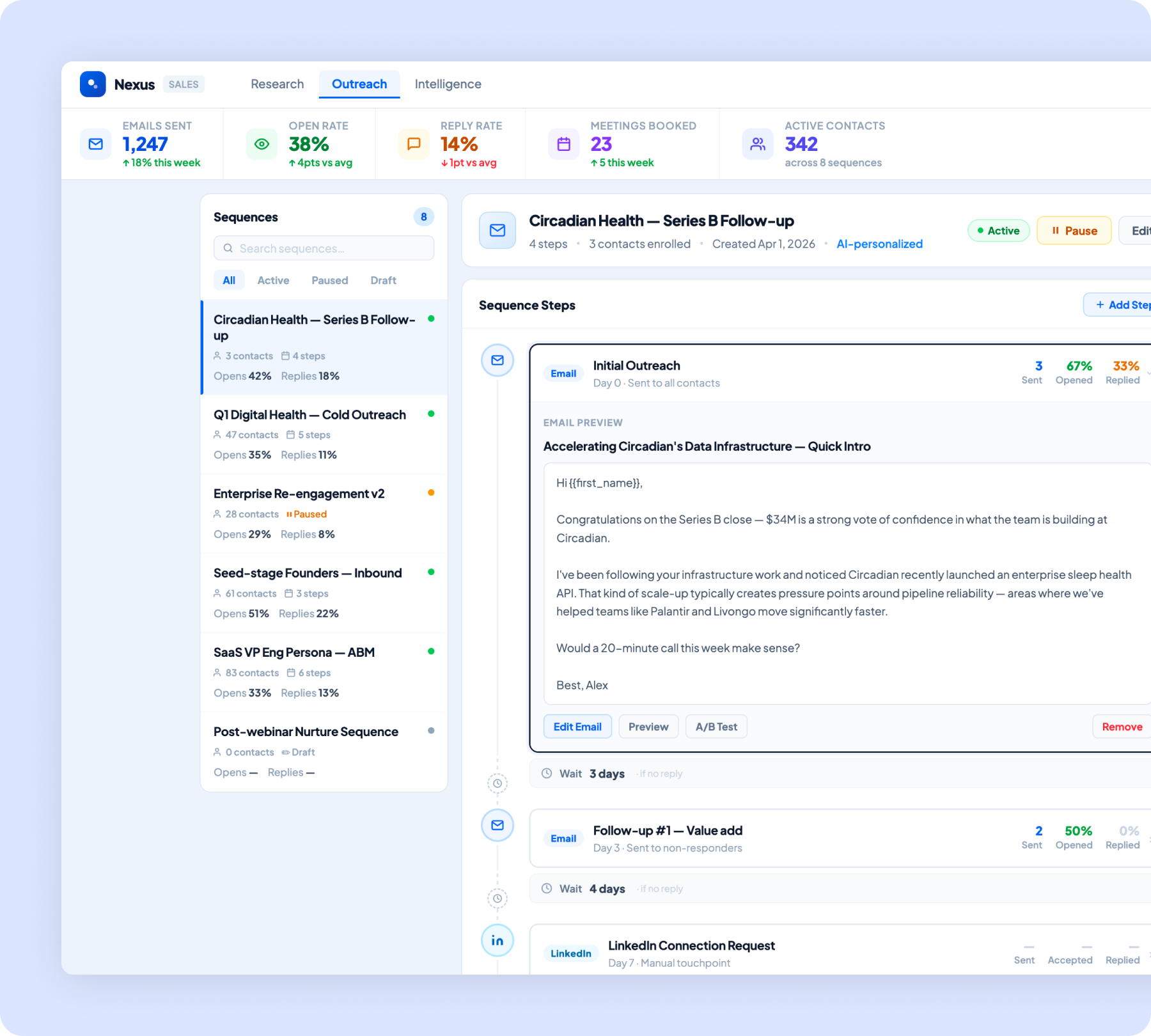
Cut call preparation time by 40% with AI-powered sales workflows
Built AI workflows for automated prospect research pulling from
web and CRM data
Created call preparation briefs with company intel, attendee
profiles, and suggested talking points
Developed outreach drafting engine producing personalized emails
from templates and prospect data
Compiled competitive intelligence battlecards with automated
updates on competitor activity
60%
Higher Booking Conversion
35%
More Property Views
-
Personalized Matching from 1,000+ Properties
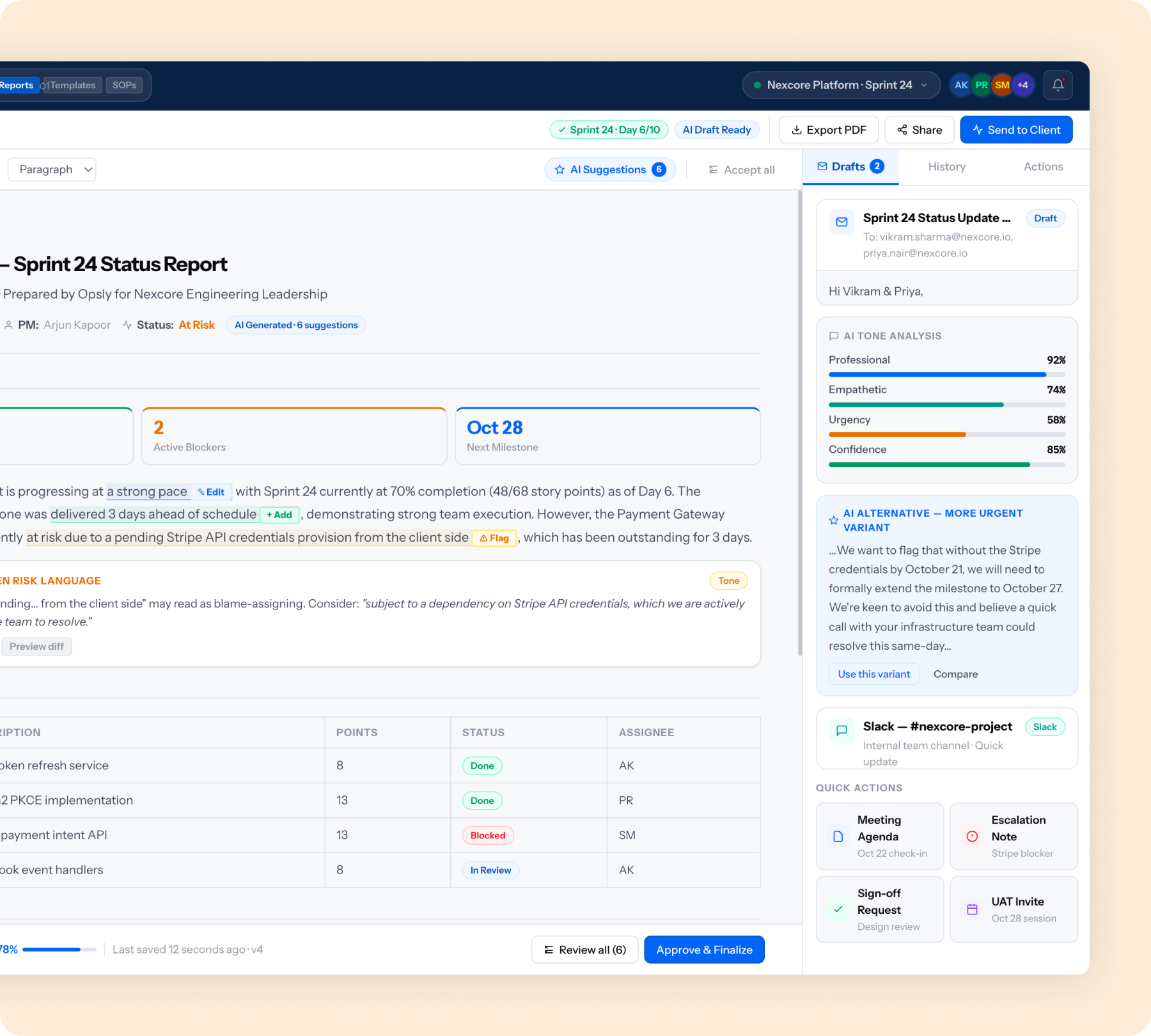
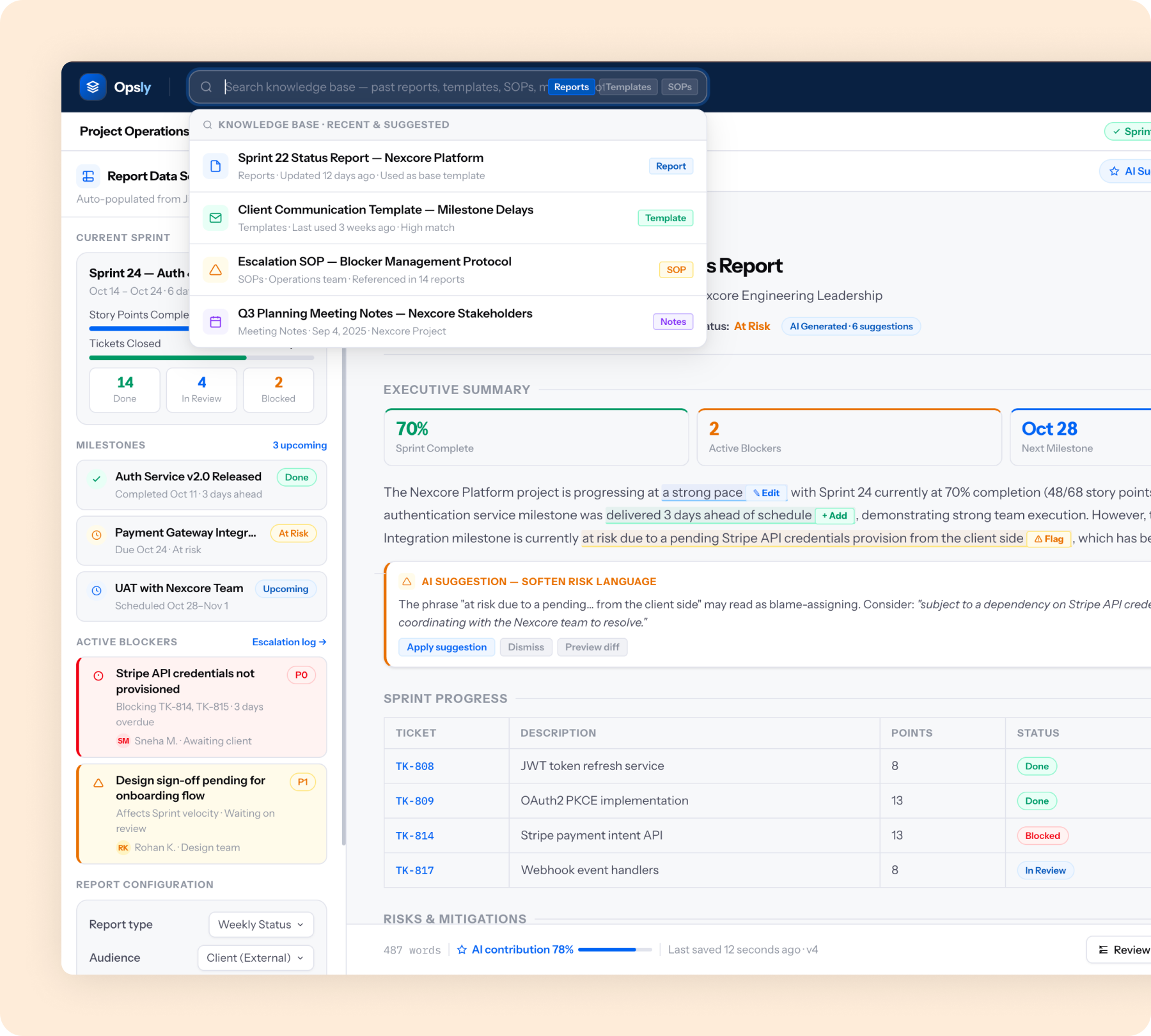
Reduced documentation time by 60% with AI-powered project operations
Automated project documentation generation from sprint data,
tickets, and meeting notes
Built AI-powered status report engine producing weekly client
updates from project management tools
Created client communication drafting workflows with tone and
context customization
Developed internal knowledge base with AI-powered search and
auto-categorization
60%
Faster Documentation
35%
Fewer Manual Status Updates
20%
Improvement in Project Visibility
them actually use them.




Follow Us

.svg)